The Cookbook answers one question: how to connect Praxis to whatever you're using. Concepts and architecture live in the Developer Docs, endpoints and parameters in the API—here we only keep copy-paste integration steps.
Protocol cheat sheet: Claude Code uses the Anthropic protocol (/anthropic); Codex uses the OpenAI Responses protocol (/openai/v1 + wire_api: "responses"); most others use the OpenAI-compatible protocol (/openai/v1).
New to coding agents? Start with Claude Code—minimal config (one JSON file), the most active community, and the richest documentation.
Claude Code
Connect Praxis to Claude Code and drive the terminal coding agent with your own key—editing code, running commands, answering questions.
Every step lists its expected result: follow along yourself, or hand this page to an AI assistant that can operate your computer and let it do the install, setup, and verification for you.
A Praxis API key (starting with sk-praxis-). If you don't have one, create it at Console → API Keys: click "Create Key"—the name is required, the validity defaults to 90 days (or pick permanent)—then copy it right away. You can also re-copy the full key any time from the "Copy" action on its row in the key list. New accounts ship with $1 of free credit. See Quickstart for the full flow.
Node.js 18 or newer. Check with node --version; install the LTS from nodejs.org if needed.
Install Claude Code:
npm install -g @anthropic-ai/claude-code
Expected: claude --version prints a version number (this page follows 2.1.211).
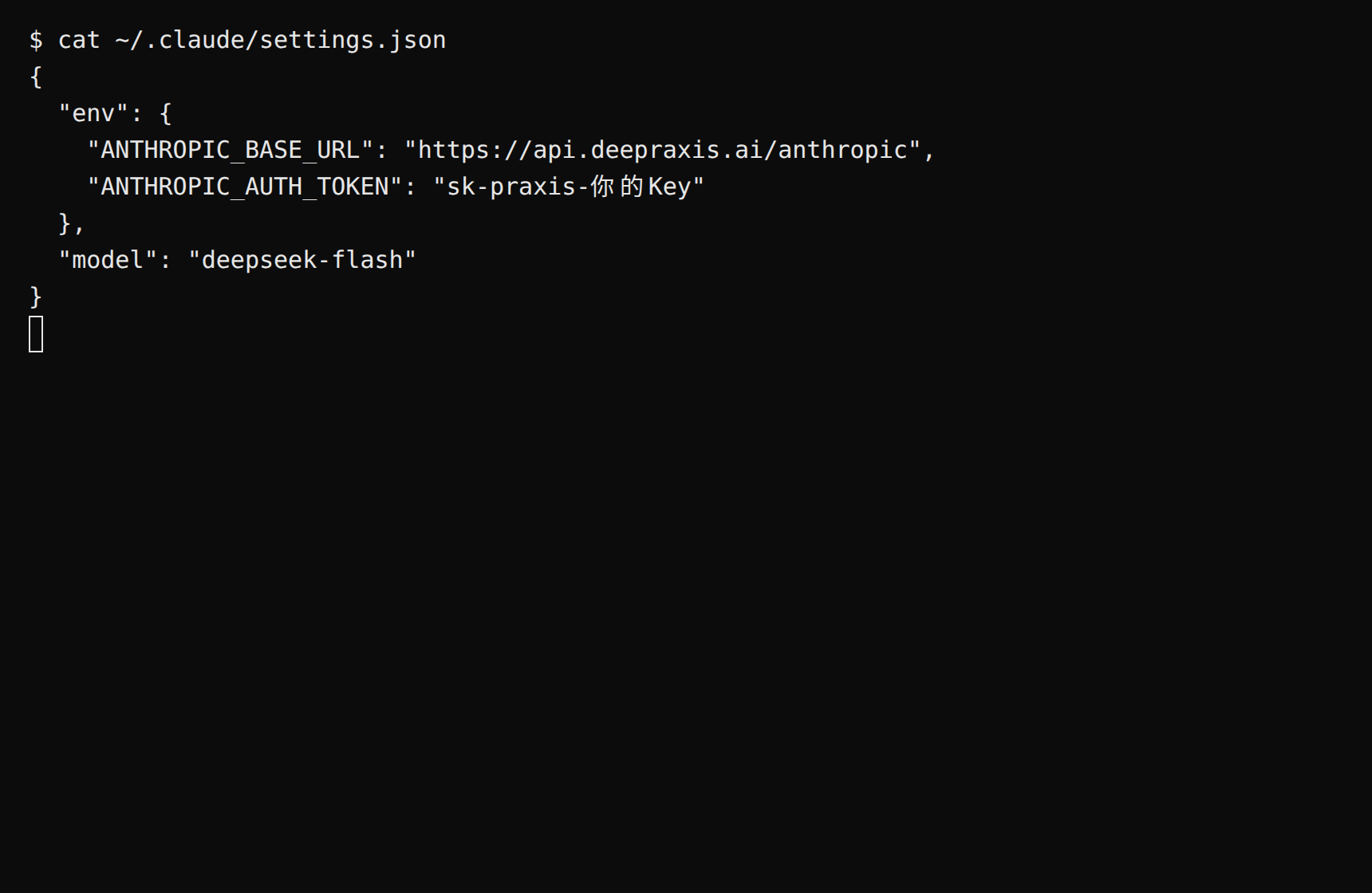
modelmust be set. Claude Code's default model is not in the Praxis catalog, and the first conversation fails with "Model does not exist" without it. deepseek-flash is the platform's sample model—cheap, fast, good at both Chinese and English; any other catalog model works too.
The key goes into ANTHROPIC_AUTH_TOKEN, not ANTHROPIC_API_KEY—the latter is for talking to Anthropic directly and does nothing behind a gateway.
Expected: saving the file takes effect immediately; nothing to restart.
Step 2 (optional): a one-off session without persisting the key
When you'd rather not write the key to disk, use inline environment variables:
Expected: a reply arrives. On Windows PowerShell, skip this and use Step 1's config file instead. When run inside a code project, the reply may pick up that project's AGENTS.md / CLAUDE.md context—that's normal.
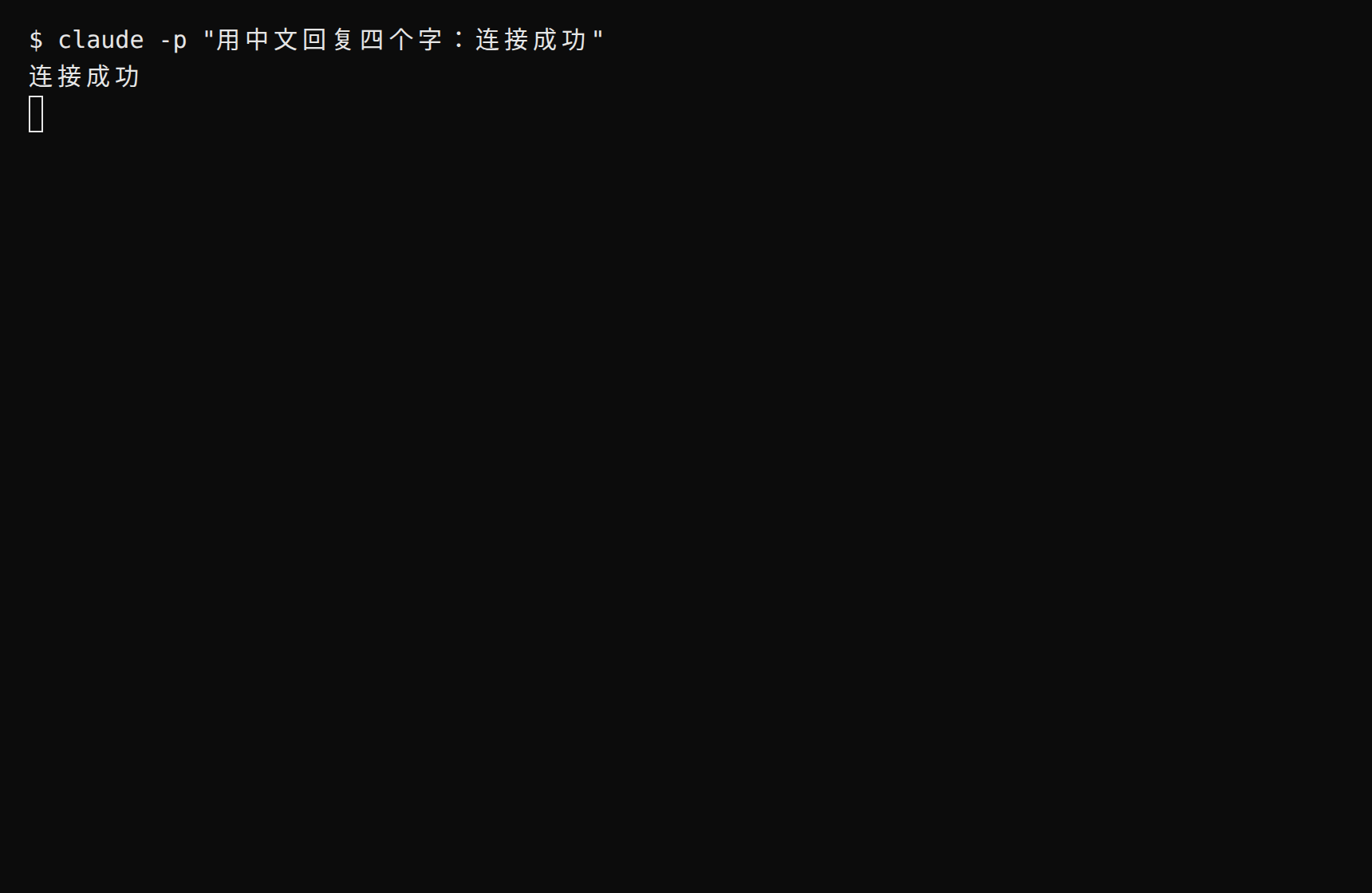
Expected: the terminal prints the reply—a reply means you're connected.
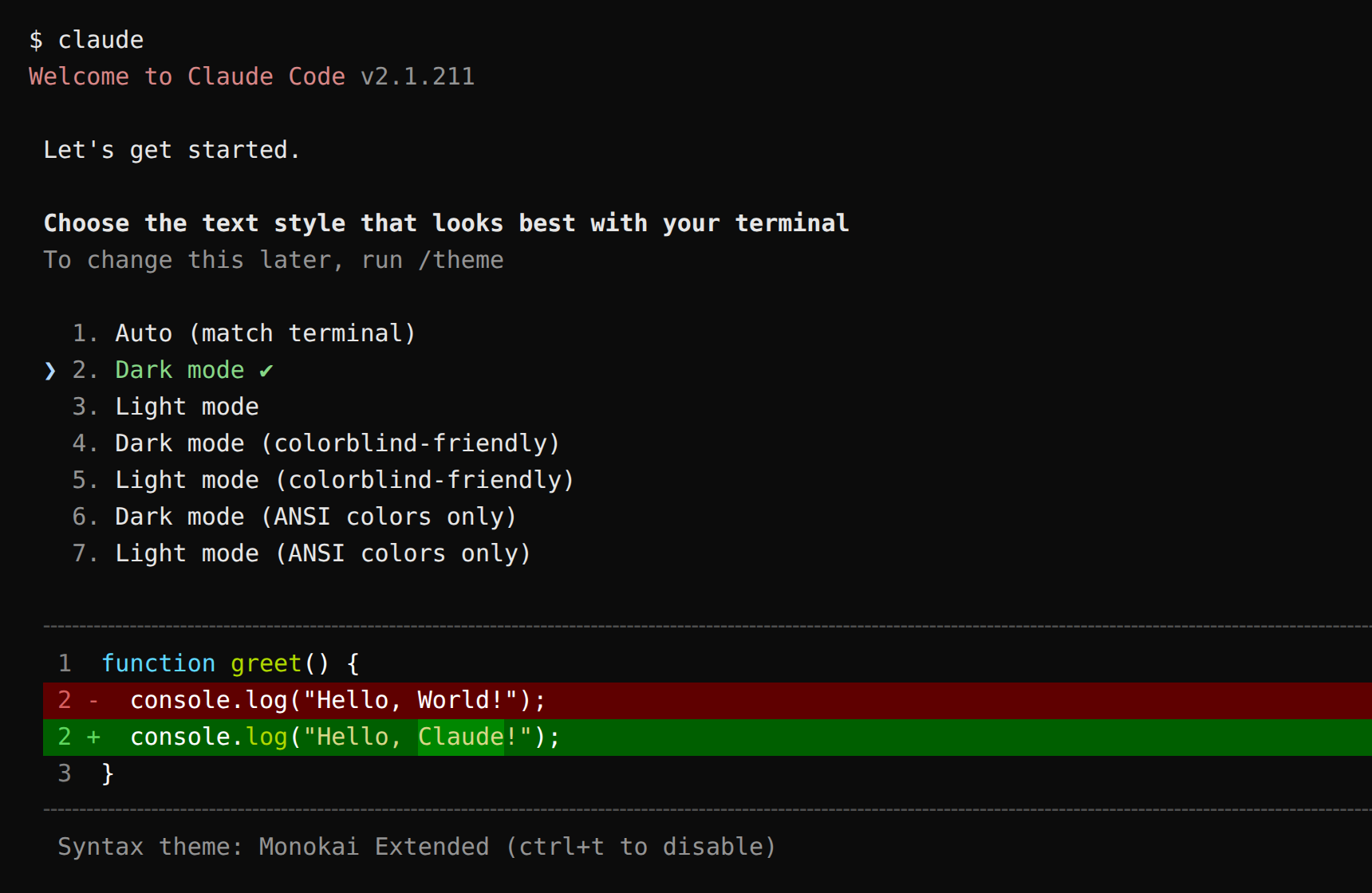
Drop -p for the full interactive coding-agent workspace. The very first launch asks you to pick a UI theme first:
You can also verify from the command line. Set the variable first (copying the curl verbatim without it yields a 401):
export PRAXIS_API_KEY=sk-praxis-your-key
The commands below are written for macOS / Linux / WSL (bash). On Windows PowerShell: a reply from claude -p above already means you're connected—feel free to skip; for the CLI route, run $env:PRAXIS_API_KEY="your-key" first and join the curl into a single line (dropping the trailing \).
Expected: HTTP 200 means you're connected. The block in content with typetext is the reply—deepseek-flash is a reasoning model, so a thinking block may come first; that's normal.
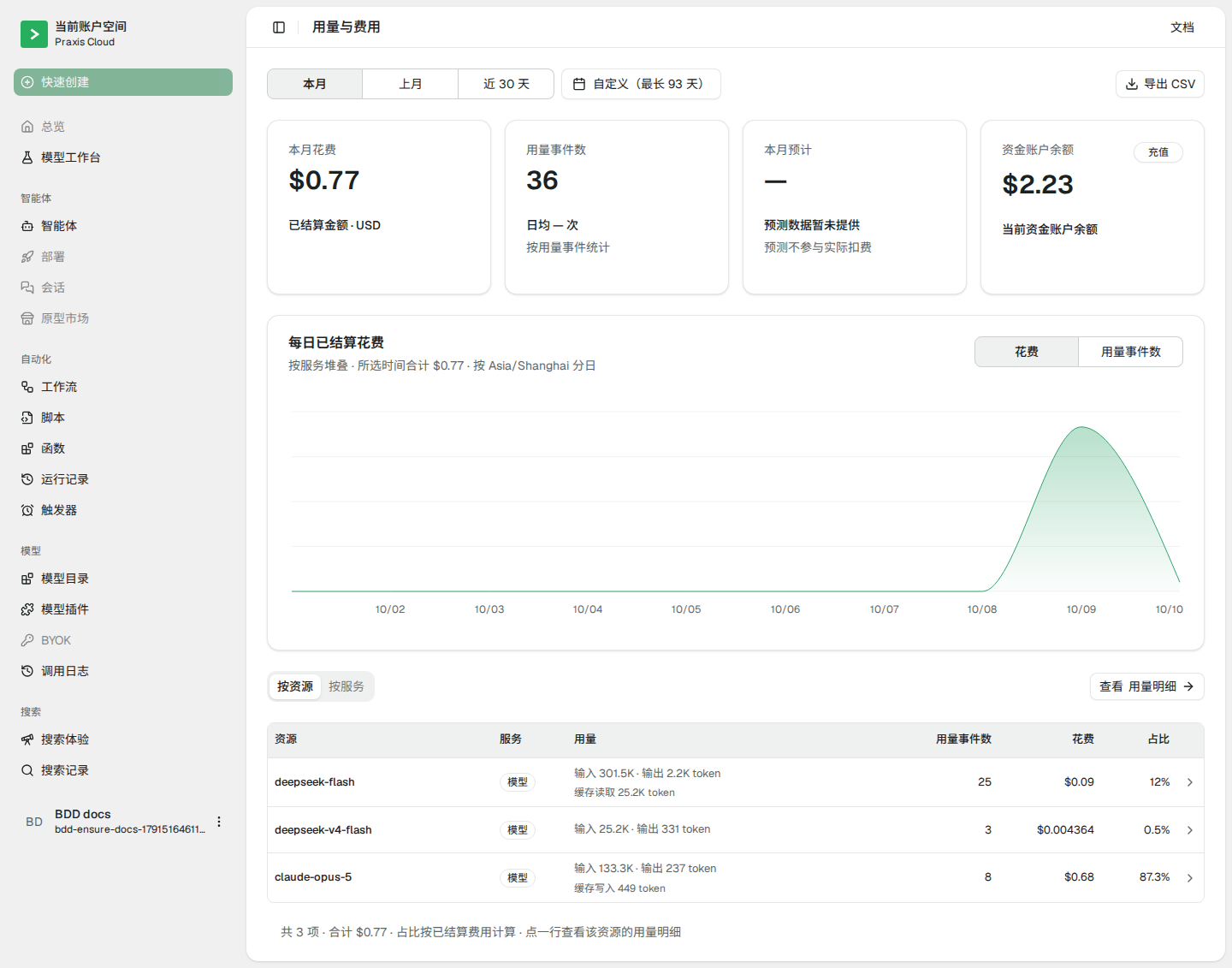
Finally, check Console → Usage & Billing: the call you just made is already on the books—every call is billed and traceable.
Switch models: change model in settings.json (or use --model ad hoc). Fill claude-opus-5 for the Claude flagship; deepseek-v4-flash is a pinned snapshot while deepseek-flash always points at the latest Flash generation
Use it in a project: run claude inside your code directory—it reads files, edits code, and runs commands, asking for your confirmation before each action
Connect Praxis to Codex and drive OpenAI's terminal coding agent with your own key—editing code, running commands, answering questions. The key lives in an environment variable, never in the config file.
Every step lists its expected result: follow along yourself, or hand this page to an AI assistant that can operate your computer and let it do the install, setup, and verification for you.
A Praxis API key (starting with sk-praxis-). If you don't have one, create it at Console → API Keys: click "Create Key"—the name is required, the validity defaults to 90 days (or pick permanent)—the dialog then shows the full key once—copy it right away. You can also re-copy the full key any time from the copy icon that appears when hovering its row in the key list. If the dialog sticks on "Creating…", refresh the list—the key exists and row copy still retrieves it in full. New accounts ship with $1 of free credit. See Quickstart for the full flow.
Node.js 18 or newer. Check with node --version; install the LTS from nodejs.org if needed.
Install the Codex CLI:
npm install -g @openai/codex
Expected: codex --version prints codex-cli <version> (this page follows 0.162.1).
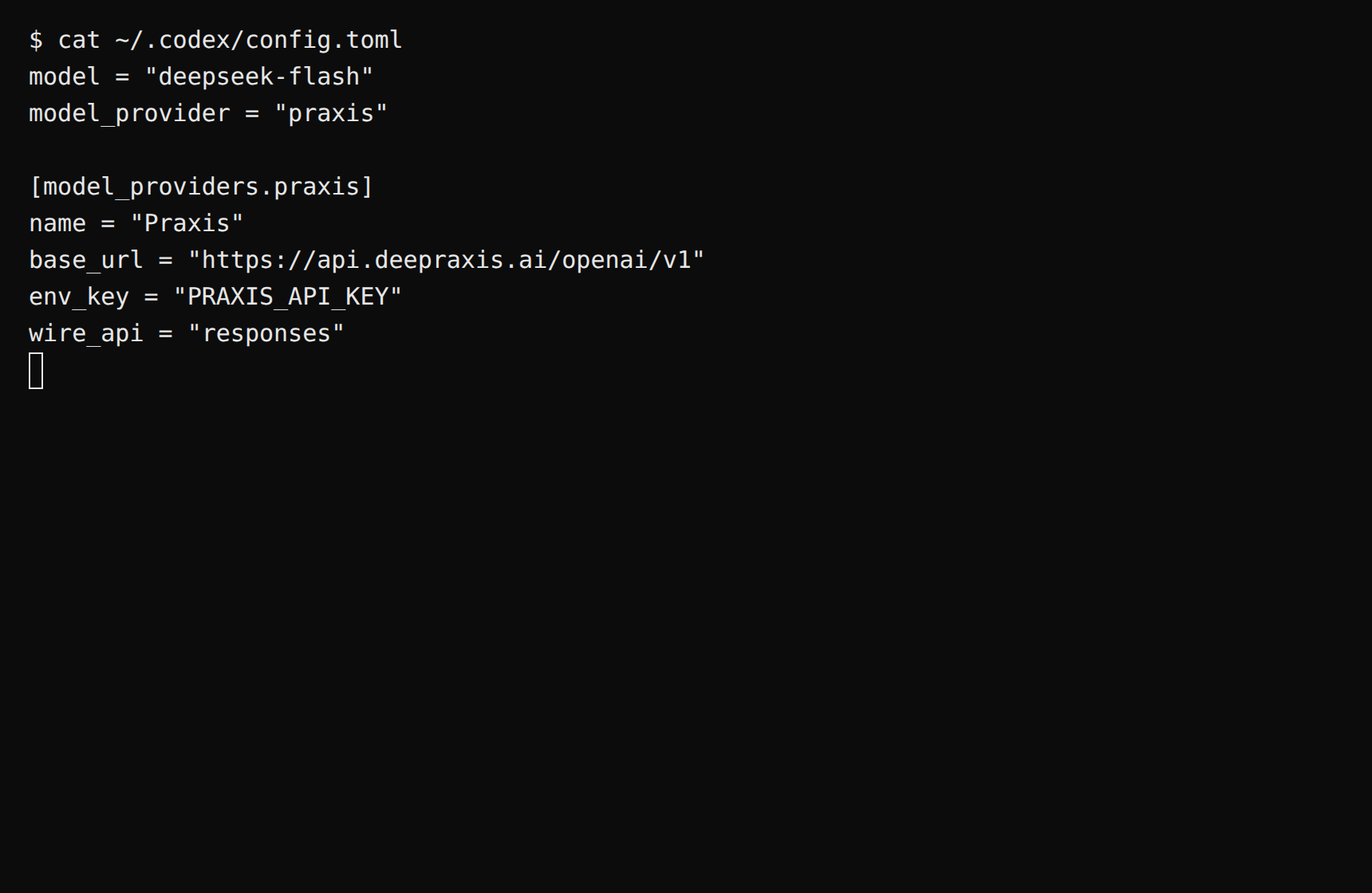
The key does not go into this file—env_key declares that Codex reads it from the PRAXIS_API_KEY environment variable, set in the next step.
wire_api must be responses: Codex speaks the OpenAI Responses protocol, not classic chat completions.
model takes a catalog model ID; deepseek-flash is the platform's sample model—cheap, fast, good at both Chinese and English.
Expected: the next codex launch picks up the new config (restart any session already running).
Step 2: set the key environment variable
macOS / Linux (WSL included):
export PRAXIS_API_KEY=sk-praxis-your-key
Add the line to ~/.bashrc or ~/.zshrc to persist it. Windows PowerShell: $env:PRAXIS_API_KEY="your-key" (or set a system environment variable and reopen the terminal).
Expected: echo $PRAXIS_API_KEY prints your key (echo $env:PRAXIS_API_KEY on PowerShell).
From a code project directory (a git repository), run:
codex exec "Reply with exactly: connected"
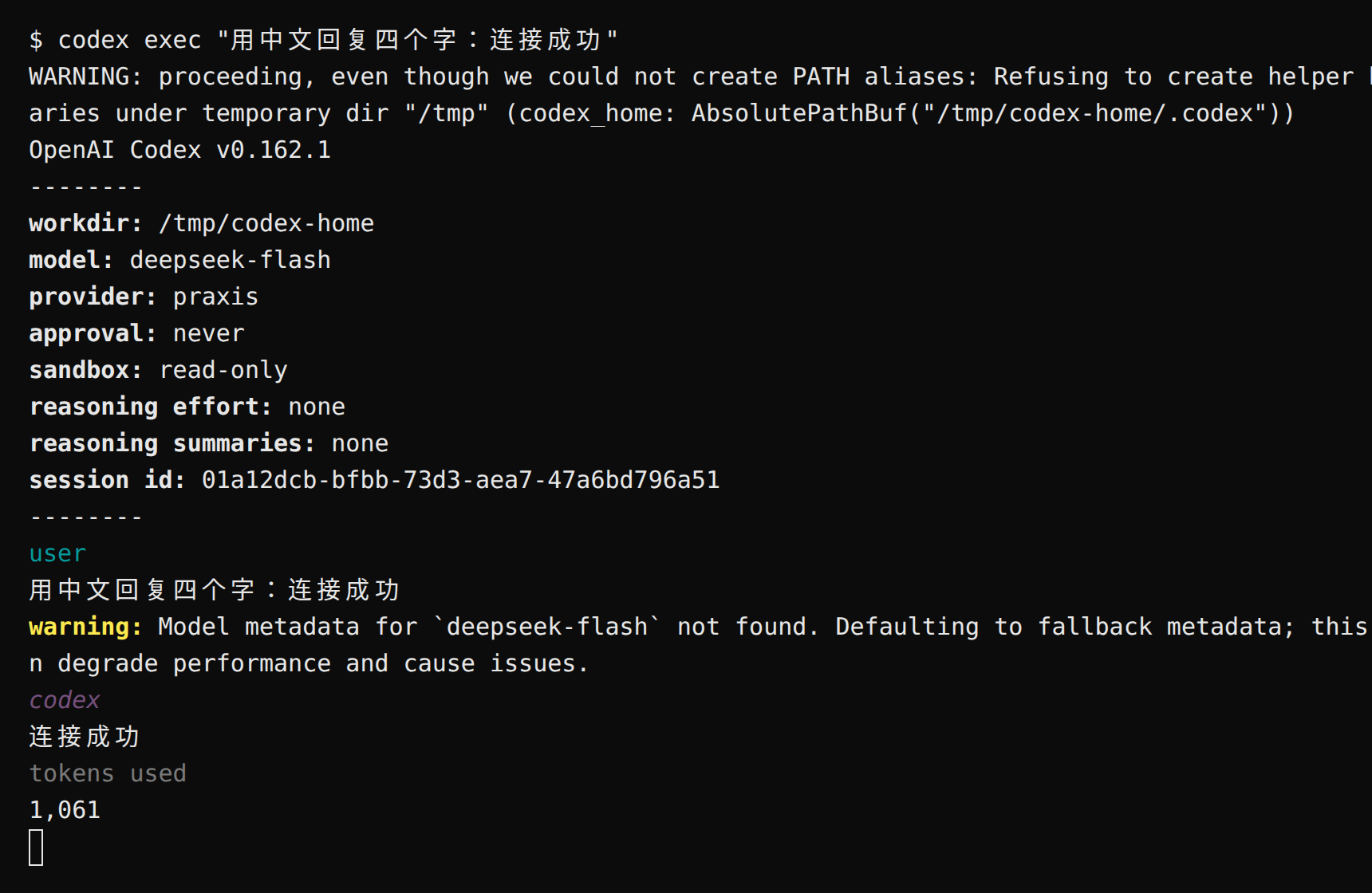
Expected: the reply contains connected, ending with a tokens-used line—a reply means you're connected. The first run may print "Model metadata for … not found … Defaulting to fallback metadata"; that's the normal fallback notice for custom models and doesn't affect usage.
Drop exec and run codex for the full interactive workspace (the version banner and input box mark entry; not verified on this page).
You can also verify from the command line. Set the variable first (copying the curl verbatim without it yields a 401):
Expected: HTTP 200 means you're connected. The block in output with typetext is the reply—deepseek-flash is a reasoning model, so a reasoning block may come first; that's normal.
The commands above are written for macOS / Linux / WSL (bash). On Windows PowerShell: a successful codex exec above already means you're connected—feel free to skip; for the CLI route, run $env:PRAXIS_API_KEY="your-key" first, use curl.exe (PowerShell's curl is an alias with different syntax), and join the command into a single line (dropping the trailing \).
Finally, check Console → Usage & Billing: the call you just made is already on the books—every call is billed and traceable.
Switch models: set model in config.toml or run codex -m <model-id>. Use deepseek-flash or deepseek-v4-flash. Codex requires a model that declares Responses support; open the model details in the model catalog and confirm Responses is listed before selecting it.
Use it in a project: interactive codex reads files, edits code, and runs commands, asking for your confirmation before sensitive actions
(TODO: model ids, streaming, network from mainland China.)
OpenCode
Connect Praxis to OpenCode—the open-source terminal coding agent. Drop an opencode.json into your project declaring the provider, keep the key in an environment variable, and opencode run just works.
Every step lists its expected result: follow along yourself, or hand this page to an AI assistant that can operate your computer and let it do the install, setup, and verification for you.
A Praxis API key (starting with sk-praxis-). If you don't have one, create it at Console → API Keys: click "Create Key"—the name is required, validity offers 30/60/90 days or permanent, defaulting to 90 days; the success dialog shows the full key with a "Copy Key" button, and after it closes the list shows only a masked value—re-copy the full key any time from the copy icon on its row. Expected: a "Create API Key" dialog appears, and after submitting, a dialog shows the full key with a "Copy Key" button. New accounts ship with $1 of free credit. See Quickstart for the full flow.
Node.js 18 or newer (check node --version).
Install OpenCode:
npm install -g opencode-ai
Expected: opencode --version prints a version number (this page follows 1.19.0). If npm reports a platform-package problem, install the suggested platform package as well (Linux x64: npm install -g opencode-linux-x64).
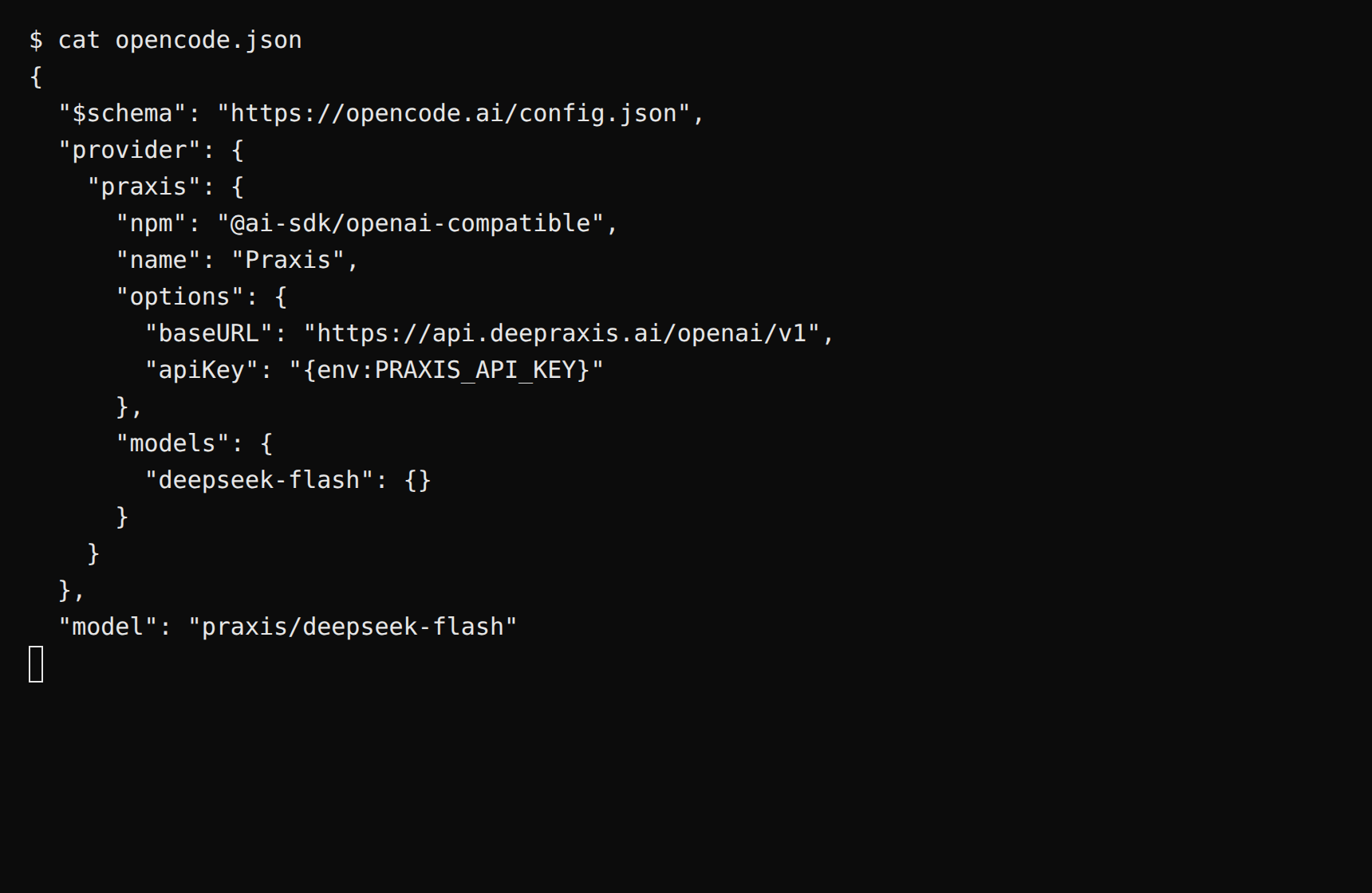
npm tells OpenCode to drive the conversation with @ai-sdk/openai-compatible—OpenCode's provider system is built on the AI SDK, and the driver installs automatically on first run.
apiKey references the environment variable via {env:PRAXIS_API_KEY}—the key never lands in a file.
Models are referenced as provider/model-id; deepseek-flash is the platform's sample model.
Expected: saving the file takes effect immediately.
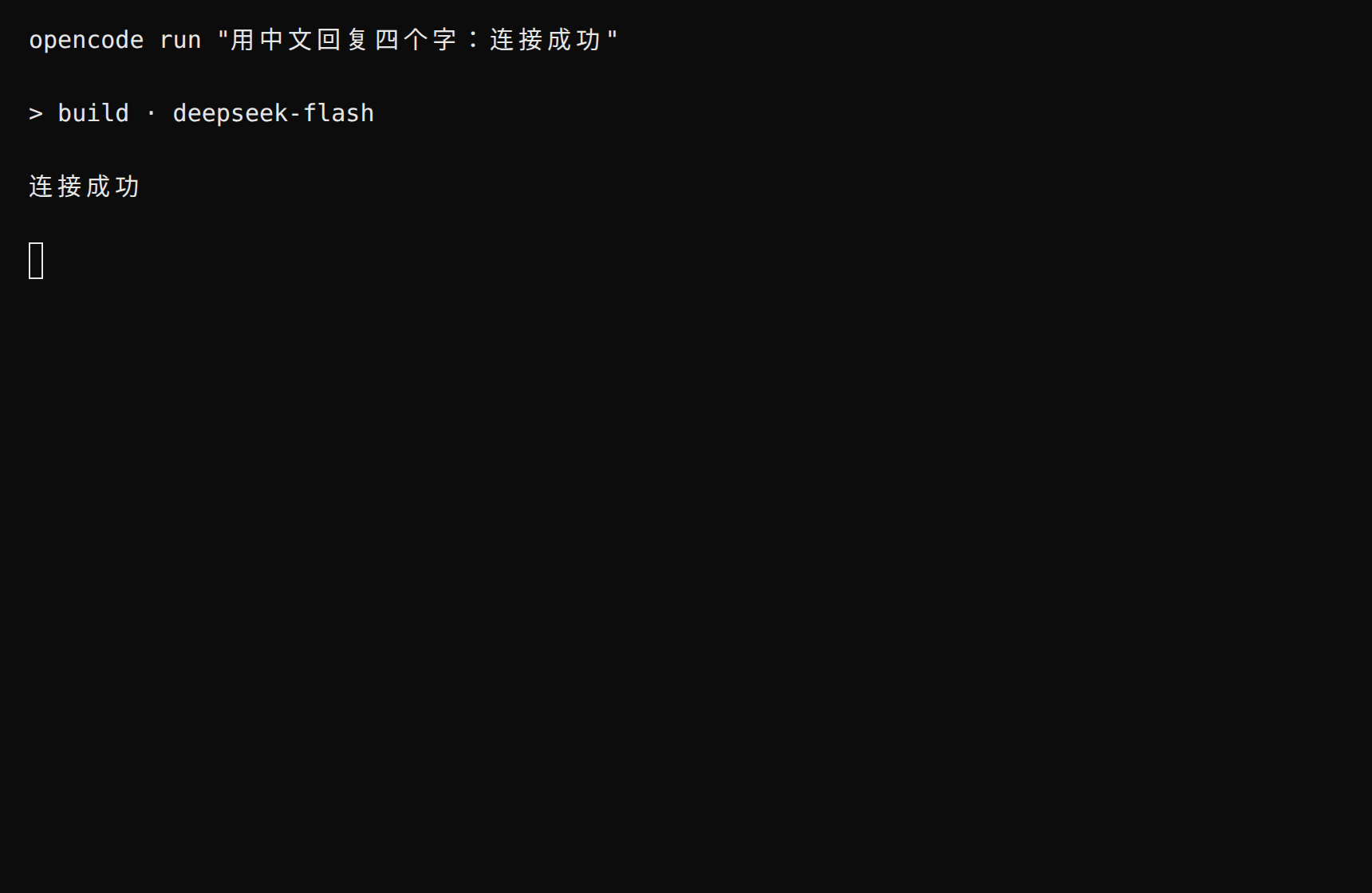
Expected: the last line is the model reply connected (preceded by a session-title line like > build · deepseek-flash)—a reply means you're connected. Drop run and execute opencode for the interactive terminal UI.
You can also verify from the command line. The commands below are written for macOS / Linux / WSL (bash). On Windows PowerShell: a successful opencode run above already means you're connected—feel free to skip; for the CLI route, run $env:PRAXIS_API_KEY="your-key" first, use curl.exe (PowerShell's curl is an alias with different syntax), and join the command into a single line (dropping the trailing \).
Expected: HTTP 200 means you're connected, with the reply in choices[0].message.content (reasoning / reasoning_details fields may also appear—reasoning models include their chain of thought).
Finally, check Console → Usage & Billing: the call you just made is already on the books—every call is billed and traceable. The usage page aggregates by resource by default; open "View usage details" or click a resource row for per-call records.
New to chat clients? Start with Cherry Studio—free and open source, auto-fetches the model catalog, friendly Chinese UI, and only three steps to configure.
Want to try without installing anything? Use Praxis App directly: open society.deepraxis.ai, sign in and chat—zero configuration.
Cherry Studio
Connect Praxis to Cherry Studio and chat with every model through a single key—no code required.
Every step lists its expected result: follow along yourself, or hand this page to an AI assistant that can operate your computer and let it do the setup and verification for you.
A Praxis API key (starting with sk-praxis-). If you don't have one, create it at Console → API Keys: click "Create Key"—the name is required, the validity defaults to 90 days (or pick permanent)—then copy it right away. You can also re-copy the full key any time from the "Copy" action on its row in the key list. New accounts ship with $1 of free credit. See Quickstart for the full flow.
Cherry Studio installed. Download from the official site (auto-matches your OS), or pick from GitHub Releases: Windows -setup.exe (installer) or -portable.exe (portable); macOS .dmg (x64 for Intel, arm64 for Apple silicon); Linux .AppImage (chmod +x after download, then run).
First launch: pick your language (English is the default), and on the welcome page click "Set up later" to skip signing in.
This page follows the v2.1.4 UI; menu locations may shift slightly between versions.
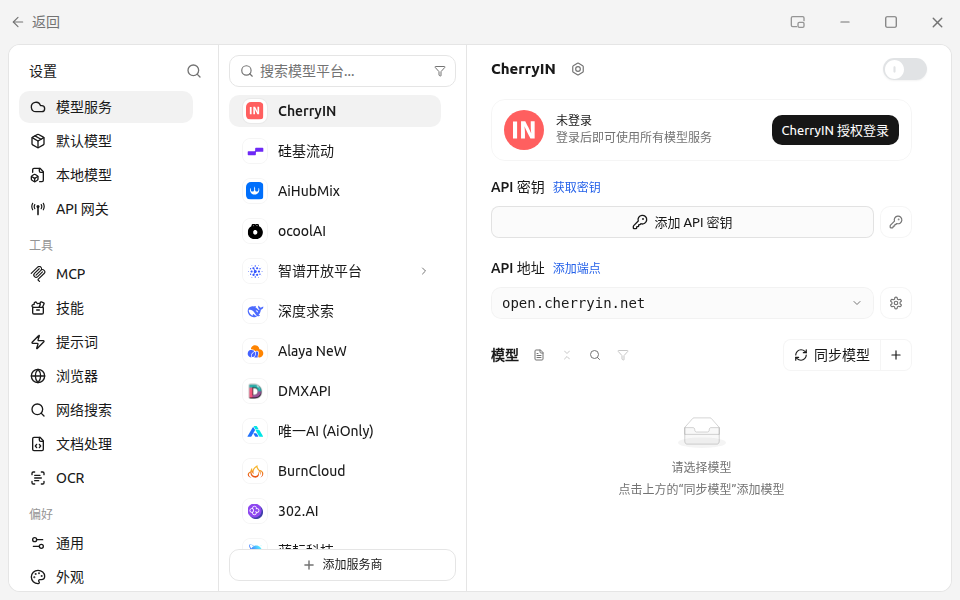
Click the gear icon "Settings" in the lower-left corner of the main window, then "Model Services" in the left menu.
Expected: the provider list appears on the right (OpenAI, SiliconFlow, Z.ai Open Platform…).
Step 2: add the provider—name, key, and base URL in one dialog
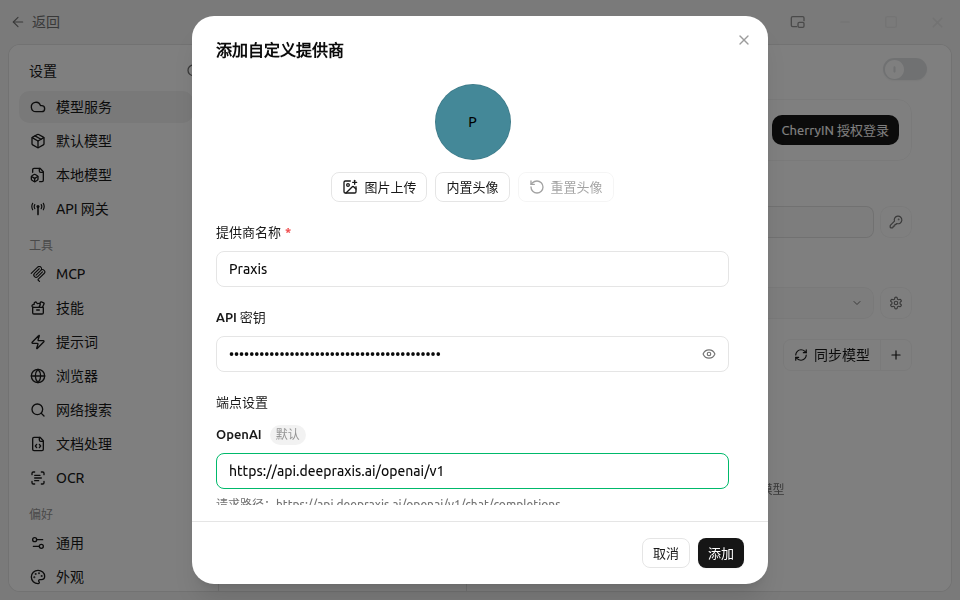
Click "Add Provider" at the bottom of the provider list and fill three things in the "Add Custom Provider" dialog:
Field
Value
Provider name (required)
Praxis (display name, any label works)
API key
your key starting with sk-praxis-
Endpoint → OpenAI base URL
https://api.deepraxis.com/openai/v1
The base URL must end with /v1—the dialog shows a live "Request path" preview; you should see …/openai/v1/chat/completions. Click "Add" when done.
Expected: a Praxis entry appears at the end of the provider list, with the key shown masked on its card.
Step 3: add a model
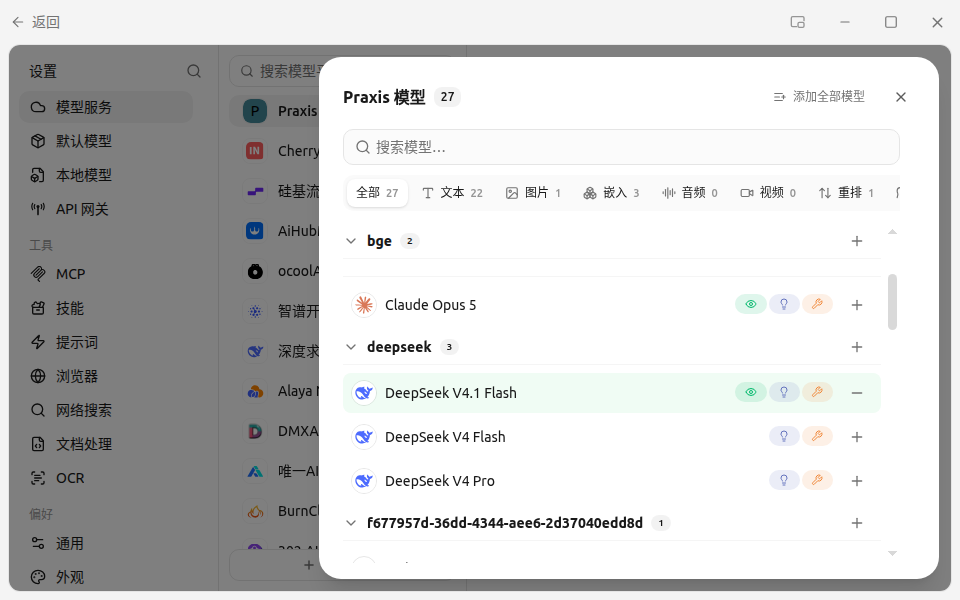
After the provider is added, Cherry Studio automatically fetches the Praxis model catalog and opens a "Select Models" dialog. Check deepseek-flash—the platform's sample model: cheap, fast, good at both Chinese and English—then click "Add Selected Models"; the app verifies and enables it automatically.
Expected: the model shows up in Praxis's model list with its enable switch on.
If the fetch fails or the list is empty, click "Manually Add Model" on the Praxis card and enter the model ID deepseek-flash; leave the rest empty.
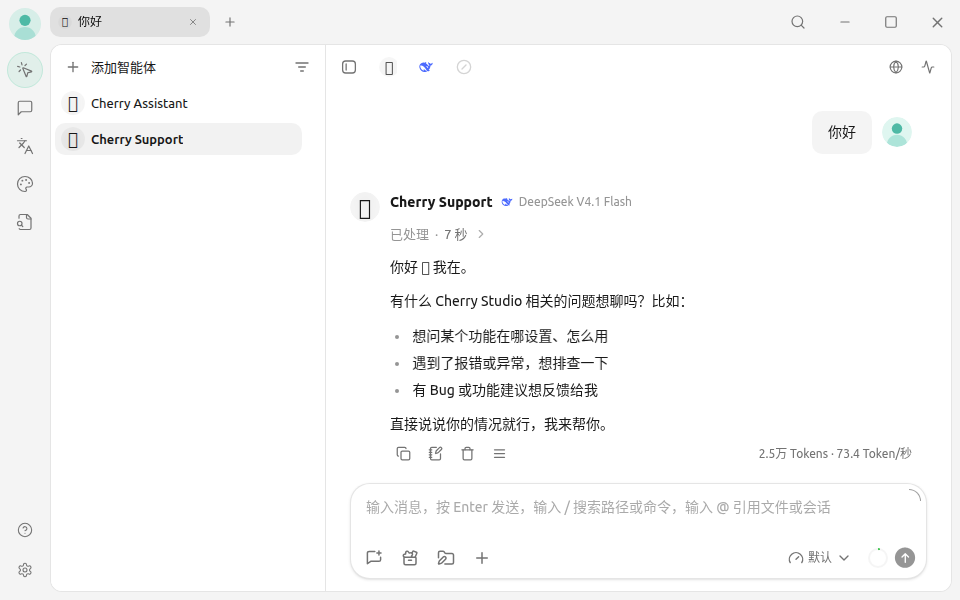
Back on the chat page, open the model picker at the top right, switch to deepseek-flash under Praxis, and send "Hello".
Expected: a reply arrives within seconds—a reply means you're connected.
You can also verify from the command line. Set the variable first (copying the curl verbatim without it yields a 401):
export PRAXIS_API_KEY=sk-praxis-your-key
The commands below are written for macOS / Linux / WSL (bash). On Windows PowerShell: a reply in the app already means you're connected—feel free to skip; for the CLI route, run $env:PRAXIS_API_KEY="your-key" first and join the curl into a single line (dropping the trailing \).
Expected: HTTP 200, with a reply in choices[0].message.content (a reasoning field may also appear—reasoning models include their chain of thought). 401 means a key problem; "model not found" means a typo in the model ID—see the FAQ below.
Finally, check Console → Usage & Billing: the call you just made is already on the books—every call is billed and traceable.
Copy it again in full (mind the sk-praxis- prefix); if it still fails, create a new one in the console
First message fails with "requires the local API Gateway bridge, which is disabled"
The local gateway is off by default
Click "Enable" in the prompt, then resend
Model list fetch fails or is empty
Wrong API path
The address must be https://api.deepraxis.com/openai/v1 (ending with /v1; check the request-path preview). Run the curl above to tell network from config; if fetching still fails, use "Manually Add Model"
Switch models: check more models from the catalog any time and switch in the chat page. deepseek-flash is the rolling entry that always points at the latest Flash generation; use deepseek-v4-flash when you want a pinned snapshot
Use the Anthropic protocol: fill the Anthropic base URL instead—https://api.deepraxis.com/anthropic (no /v1; the client appends /v1/messages, see the dialog's preview). Everything else is identical
(TODO: model ids, streaming, network from mainland China.)
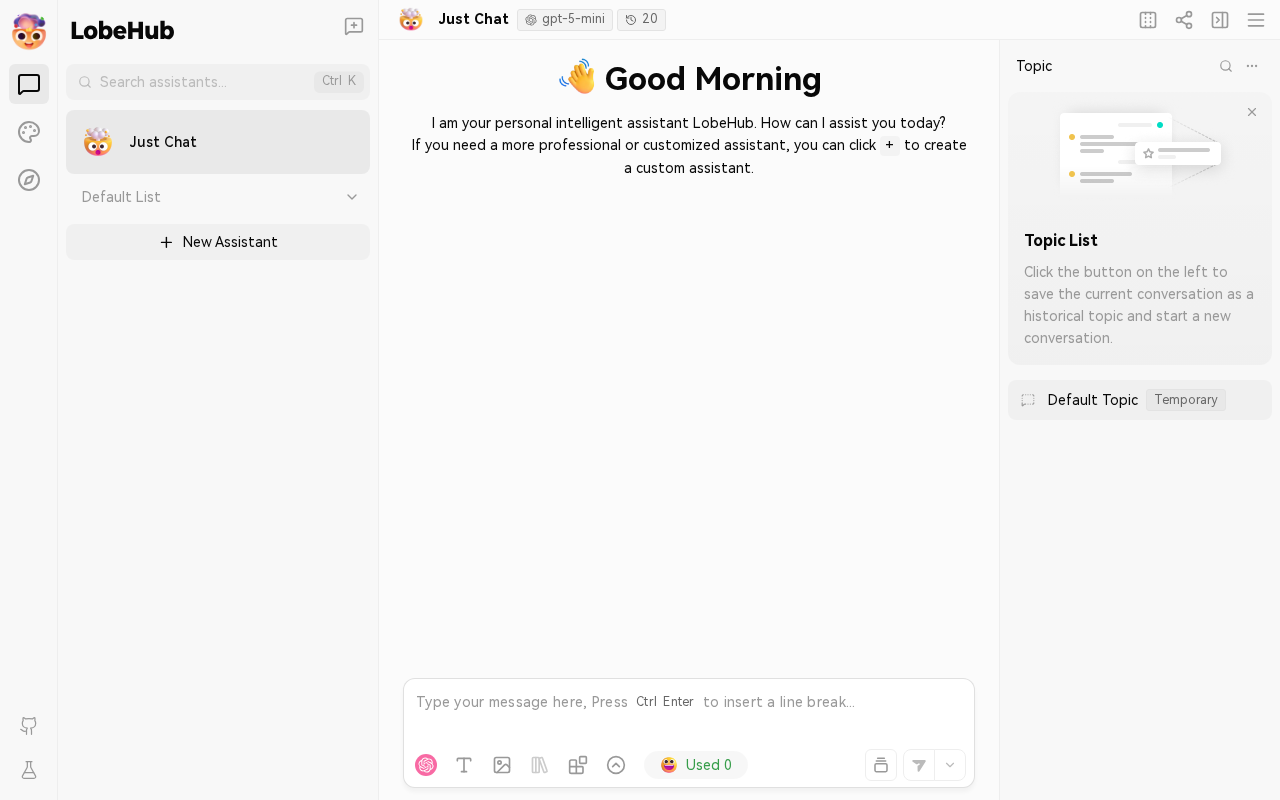
LobeHub
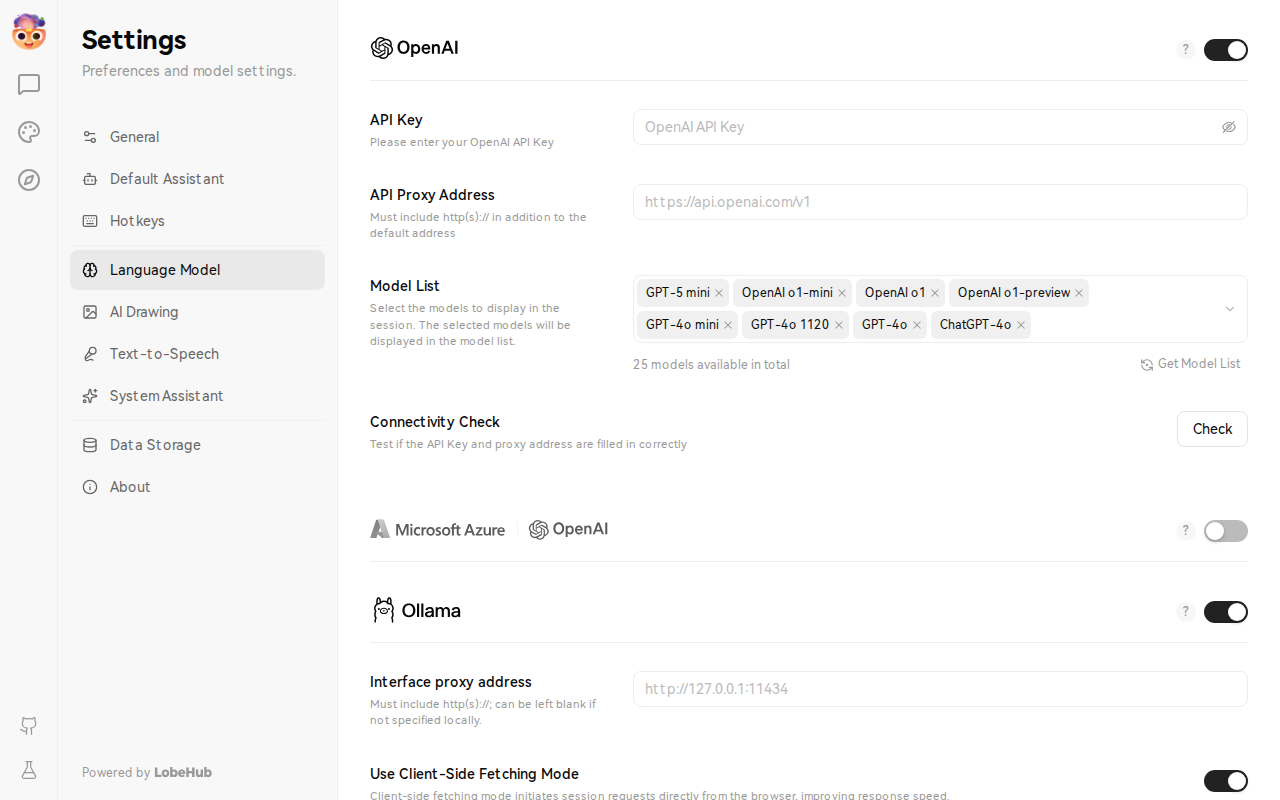
Connect Praxis to LobeHub—a modern open-source AI chat interface with plugins and multi-model support. Start with Docker, fill in two fields in the browser.
Every step lists its expected result: follow along yourself, or hand this page to an AI assistant that can operate your computer and let it do the install, setup, and verification for you.
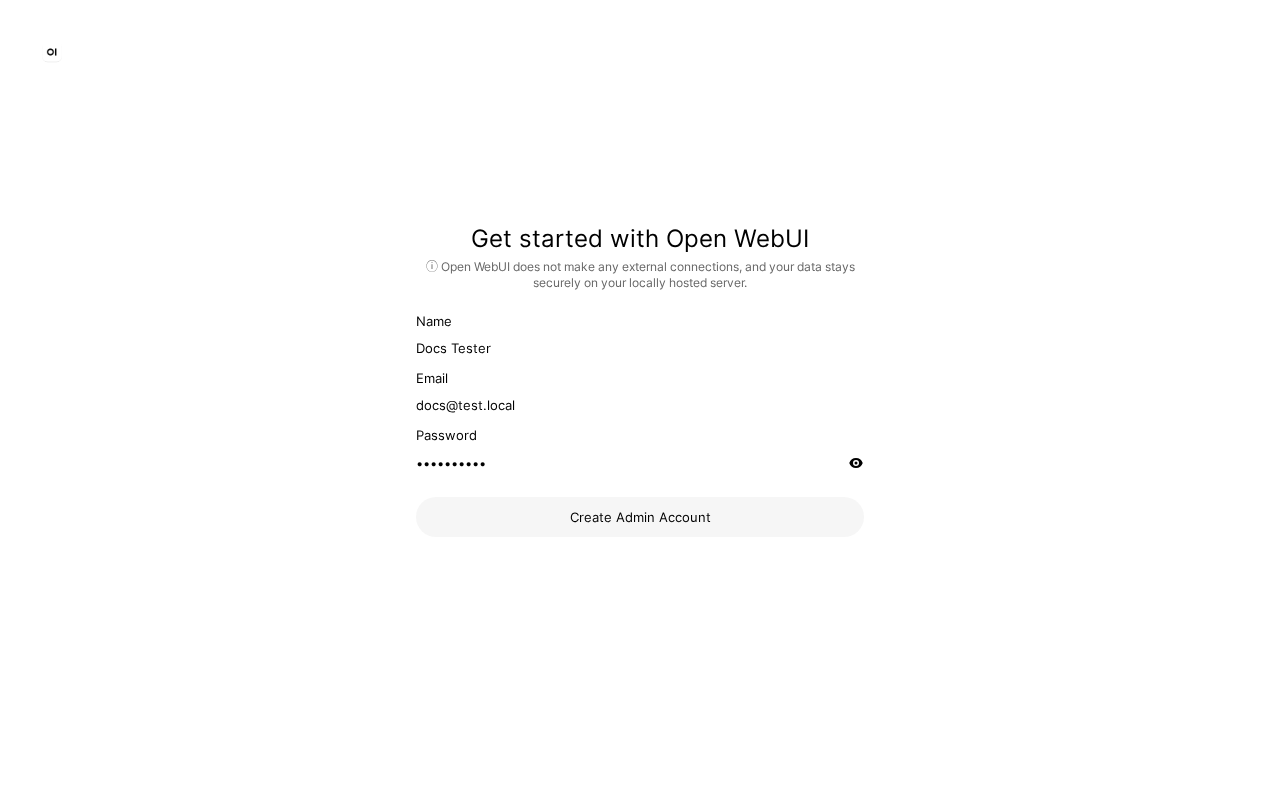
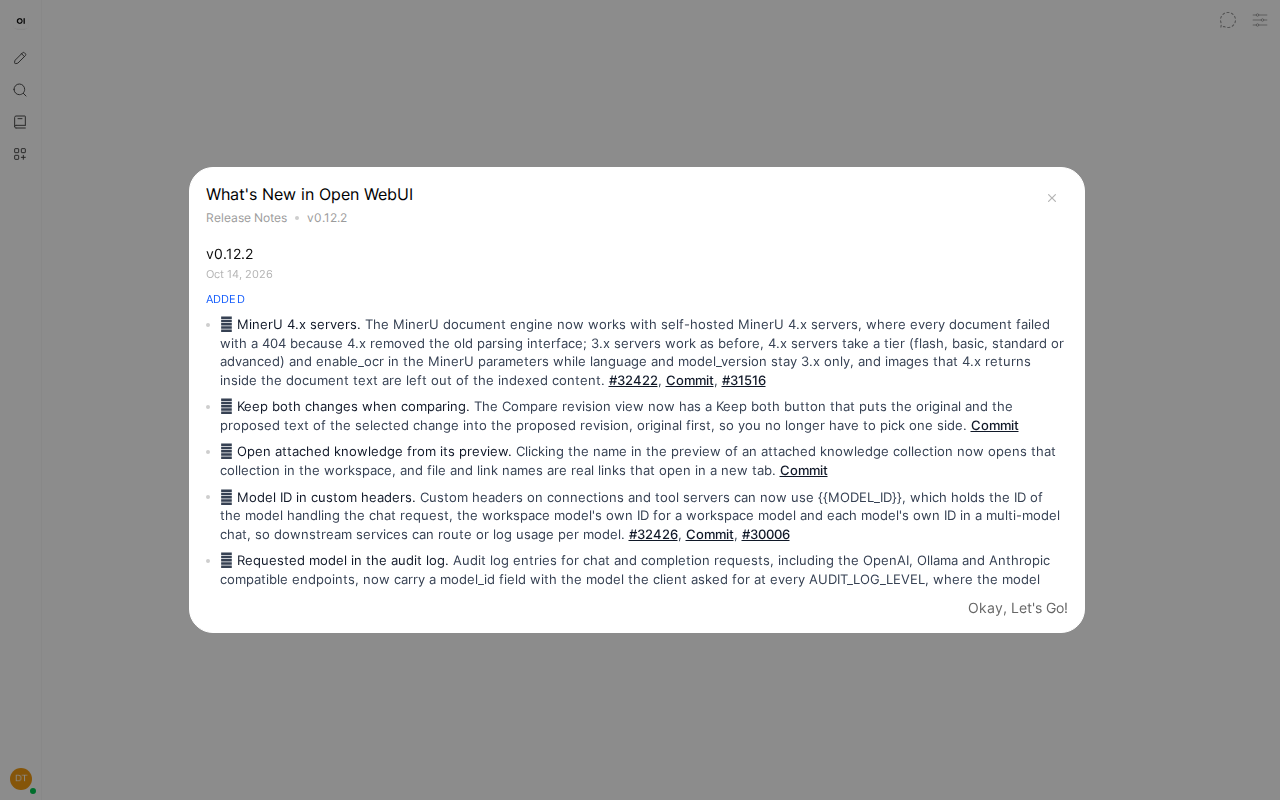
Connect Praxis to Open WebUI—the most popular self-hosted AI chat interface. One Docker command to start, configure the connection in your browser, and chat with every Praxis model.
Every step lists its expected result: follow along yourself, or hand this page to an AI assistant that can operate your computer and let it do the install, setup, and verification for you.
Docker installed and running (check docker --version). Install from Docker if needed.
A Praxis API key (starting with sk-praxis-). If you don't have one, create it at Console → API Keys: click "Create Key"—the name is required, validity offers 30/60/90 days or permanent, defaulting to 90 days; the success dialog shows the full key with a "Copy Key" button. New accounts ship with $1 of free credit. See Quickstart for the full flow.
Connect Praxis to FastGPT—an open-source platform focused on knowledge-base QA (RAG). Deploy with Docker Compose, add an OpenAI-compatible channel pointing to Praxis.
Writing SDK code for the first time? Start with the OpenAI SDK—the largest ecosystem, the most documentation, and three core lines to get running.
OpenAI SDK
Connect Praxis through the official OpenAI SDK—keep every line of your existing OpenAI code, change one baseURL. This page is verified against both Node and Python (other languages share the shape).
Every step lists its expected result: follow along yourself, or hand this page to an AI assistant that can operate your computer and let it do the install, run, and verification for you.
A Praxis API key (starting with sk-praxis-). If you don't have one, create it at Console → API Keys: click "Create Key"—the name is required, validity defaults to 90 days (or pick permanent)—copy it right away; you can re-copy the full key any time from the copy icon on its row. New accounts ship with $1 of free credit. See Quickstart for the full flow.
Node.js 18 or newer (check node --version; Bun works too).
Install the SDK—from your project directory:
npm install openai
Expected: the install succeeds and node -e "require('openai')" throws nothing.
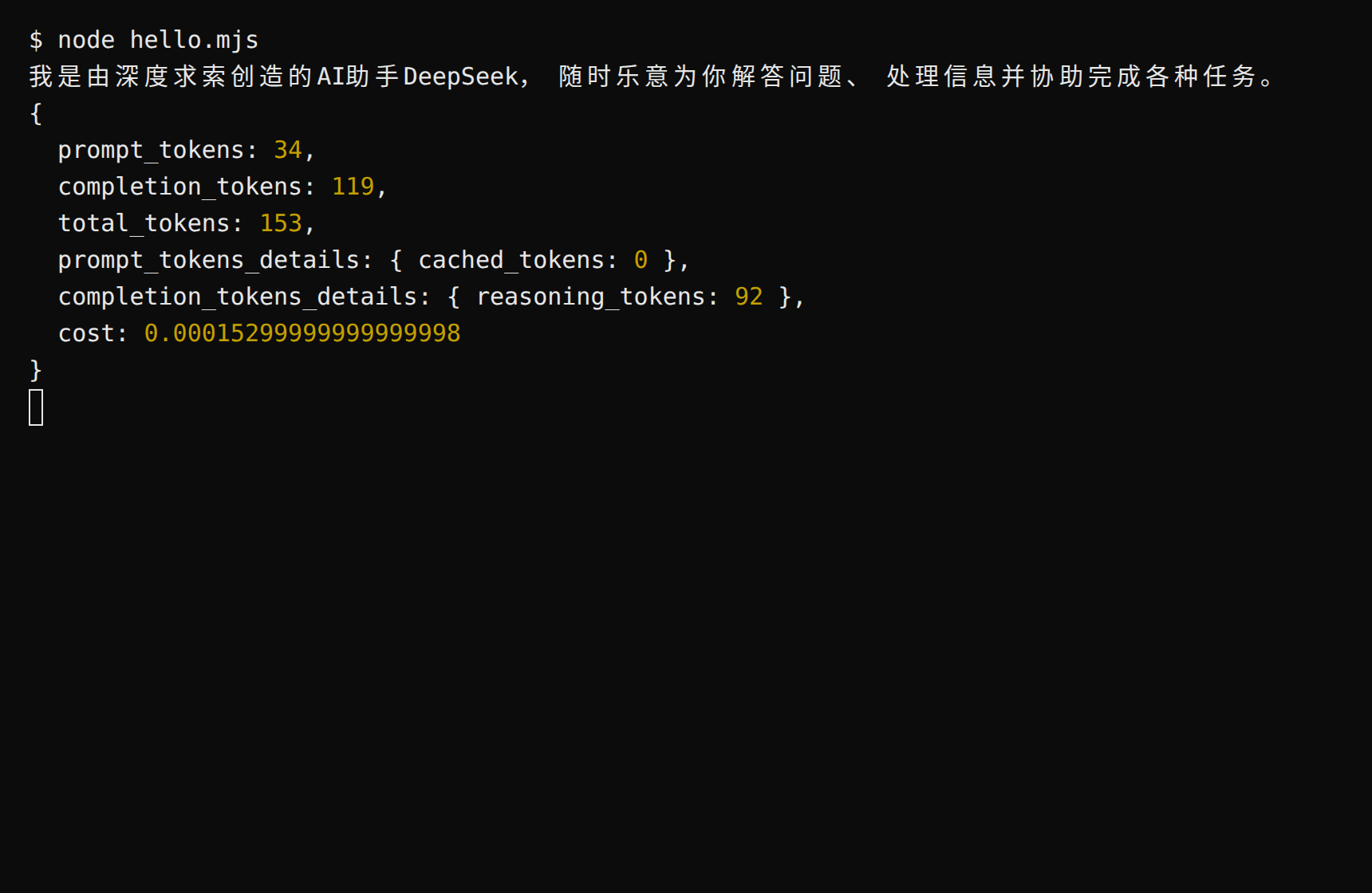
Create hello.mjs and paste as-is (swap in your key):
import OpenAI from "openai";const client = new OpenAI({ baseURL: "https://api.deepraxis.com/openai/v1", apiKey: "sk-praxis-your-key",});const completion = await client.chat.completions.create({ model: "deepseek-flash", messages: [{ role: "user", content: "Introduce yourself in one sentence" }],});console.log(completion.choices[0].message.content);console.log(completion.usage);
Run it:
node hello.mjs
Expected: a reply prints, followed by the usage object—note the cost field: what this call cost, already computed for you (pay per call; Usage & Billing in the console shows the same numbers).
Prefer the key in an environment variable over hardcoding: export PRAXIS_API_KEY=sk-praxis-… (PowerShell: $env:PRAXIS_API_KEY="…"), then use apiKey: process.env.PRAXIS_API_KEY.
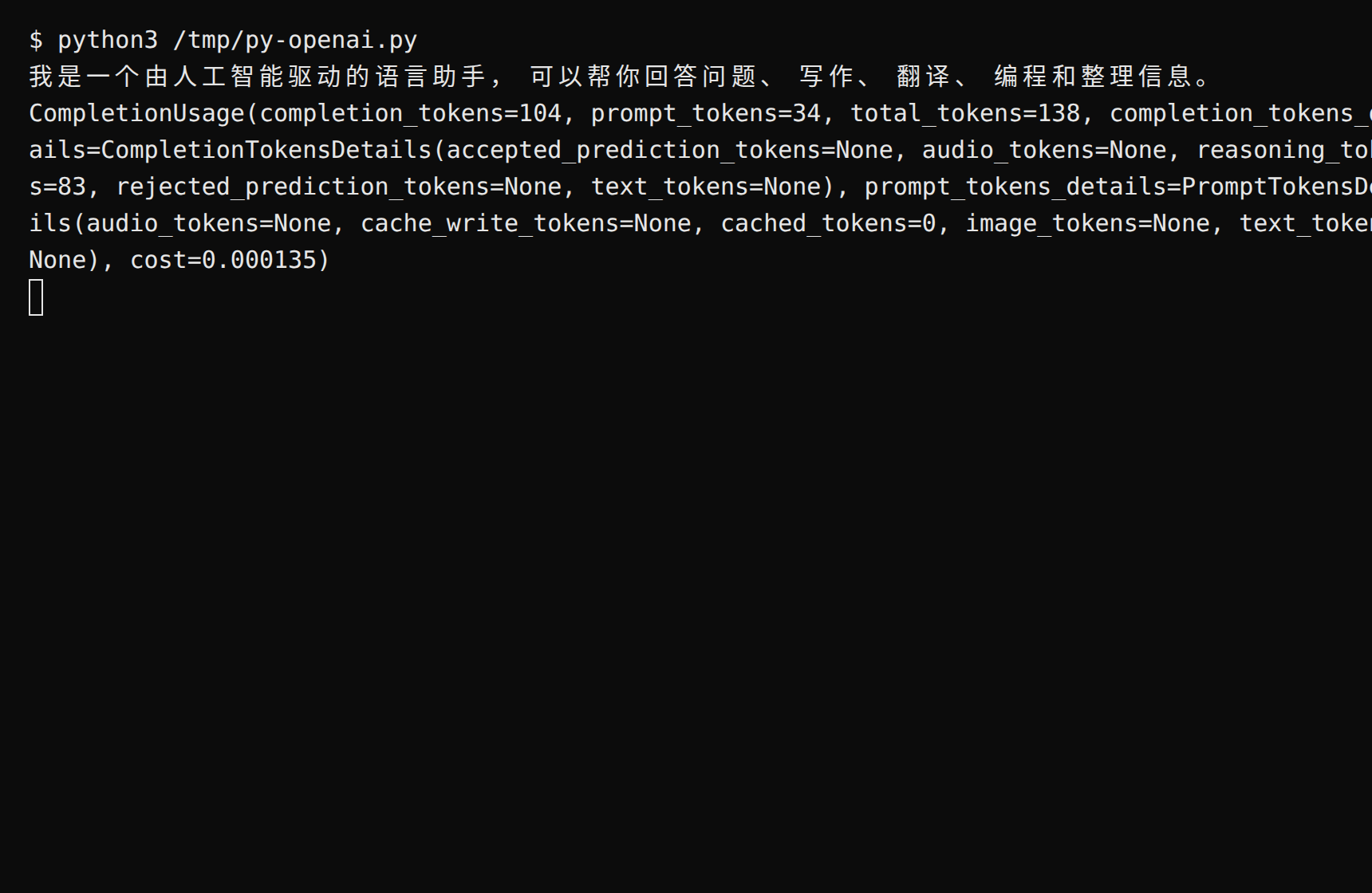
Set the environment variable first (export PRAXIS_API_KEY=sk-praxis-your-key; PowerShell: $env:PRAXIS_API_KEY="your-key"), then create hello.py:
import osfrom openai import OpenAIclient = OpenAI( base_url="https://api.deepraxis.com/openai/v1", api_key=os.environ["PRAXIS_API_KEY"],)completion = client.chat.completions.create( model="deepseek-flash", messages=[{"role": "user", "content": "Introduce yourself in one sentence"}],)print(completion.choices[0].message.content)print(completion.usage)
Run python3 hello.py. Expected: a reply prints, followed by CompletionUsage—its cost field states what the call cost. Streaming mirrors Node (stream=True, then iterate delta.content).
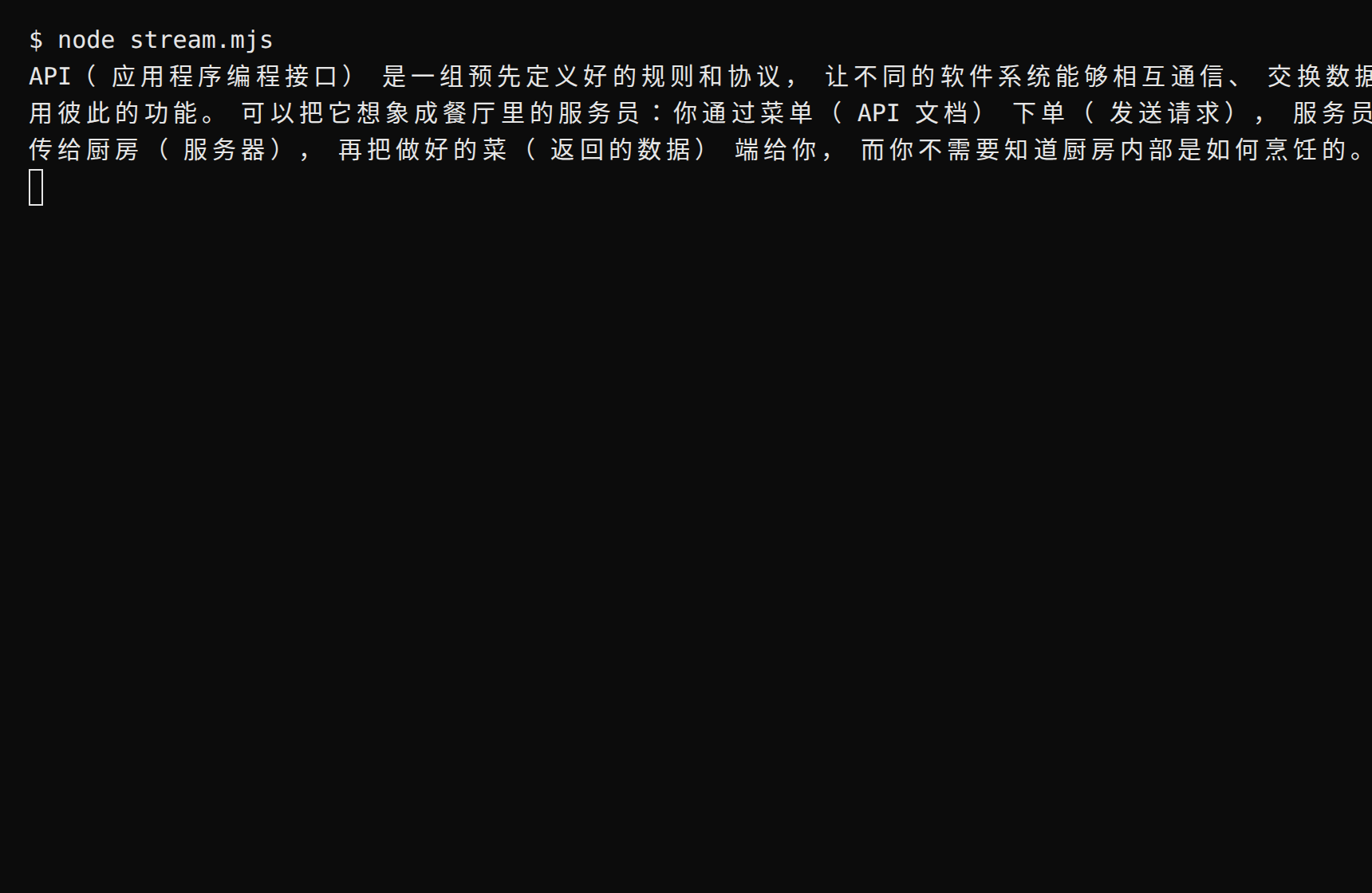
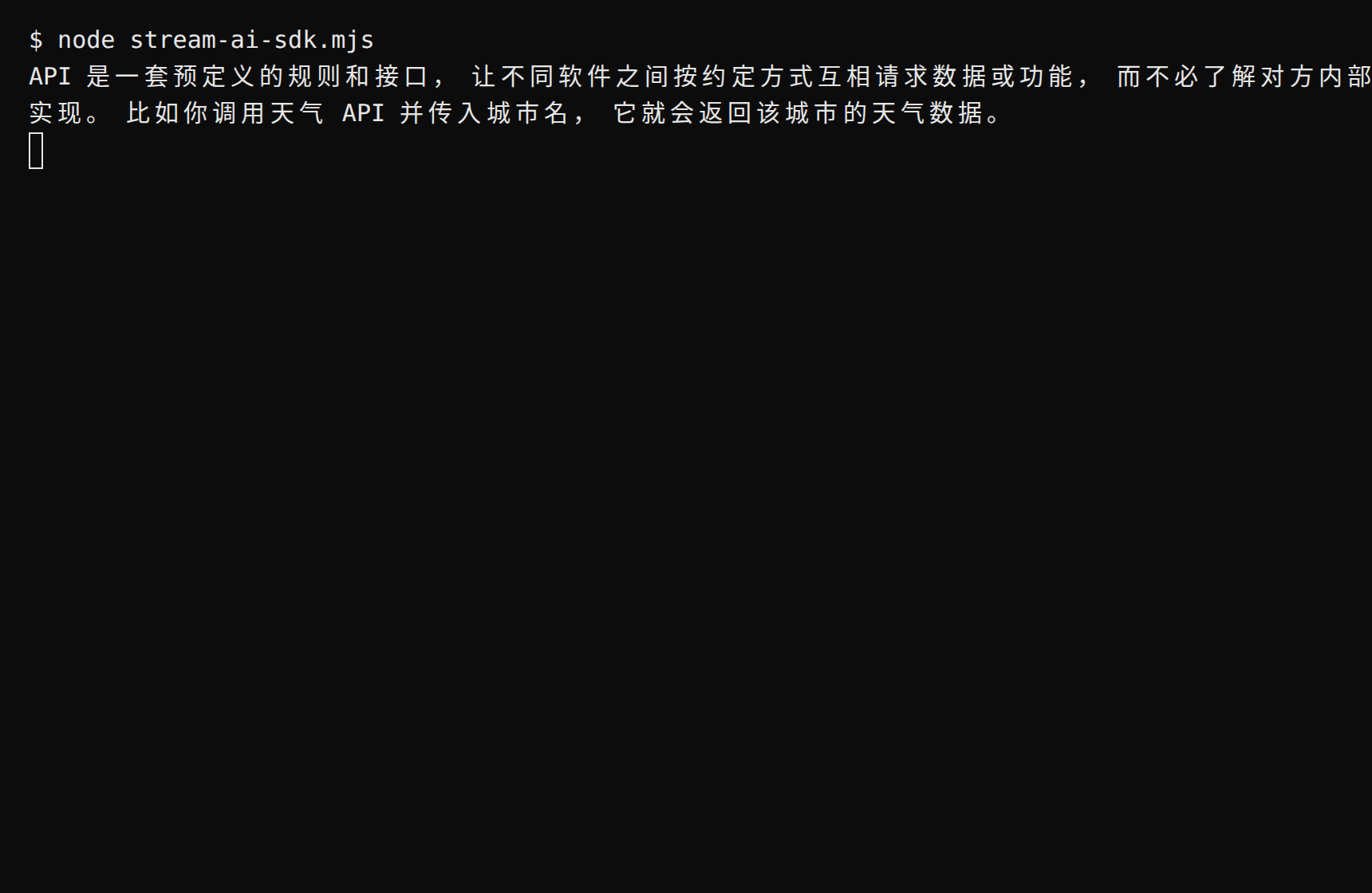
import OpenAI from "openai";const client = new OpenAI({ baseURL: "https://api.deepraxis.com/openai/v1", apiKey: process.env.PRAXIS_API_KEY,});const stream = await client.chat.completions.create({ model: "glm-5.3-flash", messages: [{ role: "user", content: "Explain what an API is in two sentences" }], stream: true,});for await (const chunk of stream) { process.stdout.write(chunk.choices[0]?.delta?.content ?? "");}console.log();
Expected: the reply prints token by token, ending with a newline—streaming. The sample uses glm-5.3-flash; streaming support varies per model route—see the FAQ below.
What did that call cost? Non-streaming calls return the price directly in usage.cost—no token math. In streaming, the cost sits in the usage of the last chunk (that chunk has an empty choices and carries cost)—stream_options: { include_usage: true } is optional; the platform sends usage either way; Console → Usage & Billing itemizes every call
List models: await client.models.list()—the same source as Console → Models
Switch models: change the model field; deepseek-flash always points at the latest Flash generation, deepseek-v4-flash is a pinned snapshot
Connect Praxis through the official Anthropic SDK—keep every line of your existing Anthropic code, change one baseURL. This page is verified against both Node and Python (other languages share the shape).
Every step lists its expected result: follow along yourself, or hand this page to an AI assistant that can operate your computer and let it do the install, run, and verification for you.
A Praxis API key (starting with sk-praxis-). If you don't have one, create it at Console → API Keys: click "Create Key"—the name is required, validity defaults to 90 days (or pick permanent); the success dialog shows the full key with a "Copy Key" button, and after it closes the list shows only a masked value—re-copy the full key any time from the copy icon on its row. New accounts ship with $1 of free credit. See Quickstart for the full flow.
Node.js 18 or newer (check node --version; Bun works too).
Install the SDK—note the package name is @anthropic-ai/sdk (the bare anthropic on npm is an unrelated placeholder):
Put the key in an environment variable first (export PRAXIS_API_KEY=sk-praxis-…; PowerShell: $env:PRAXIS_API_KEY="…"), then create hello.mjs:
import Anthropic from "@anthropic-ai/sdk";const client = new Anthropic({ baseURL: "https://api.deepraxis.com/anthropic", apiKey: "sk-praxis-your-key",});const message = await client.messages.create({ model: "deepseek-flash", max_tokens: 256, messages: [{ role: "user", content: "Introduce yourself in one sentence" }],});console.log(message.content.find((b) => b.type === "text")?.text);console.log(message.usage);
Run it:
node hello.mjs
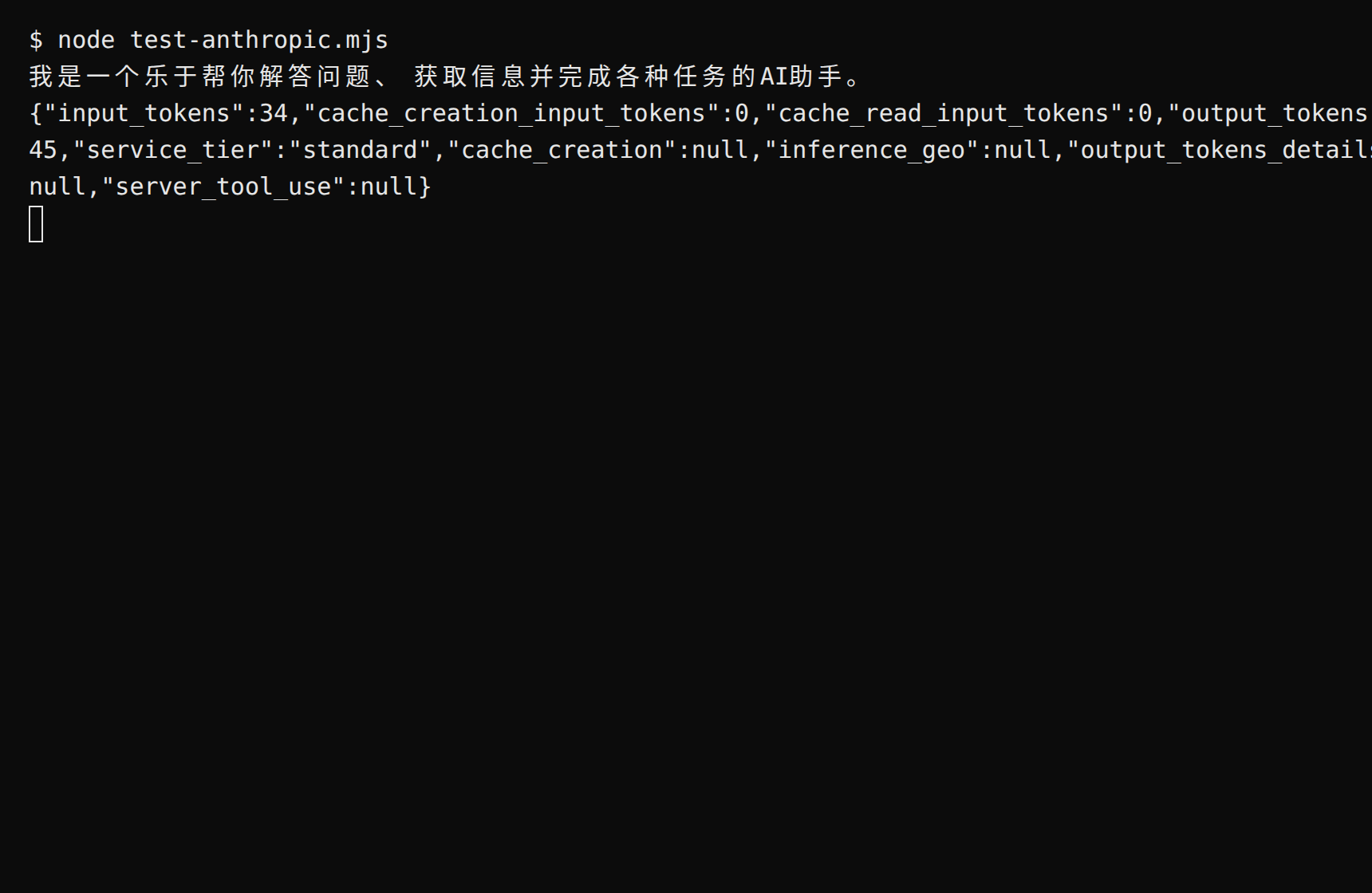
Expected: a reply prints, followed by usage—at least input_tokens / output_tokens; the SDK adds caching and service-tier fields on top. Two notes: max_tokens is required (an Anthropic-protocol rule); content is an array of blocks—the one with typetext is the reply, possibly after a thinking block on reasoning models.
import osfrom anthropic import Anthropicclient = Anthropic( base_url="https://api.deepraxis.com/anthropic", api_key=os.environ["PRAXIS_API_KEY"],)message = client.messages.create( model="deepseek-flash", max_tokens=256, messages=[{"role": "user", "content": "Introduce yourself in one sentence"}],)print(next(b.text for b in message.content if b.type == "text"))print(message.usage)
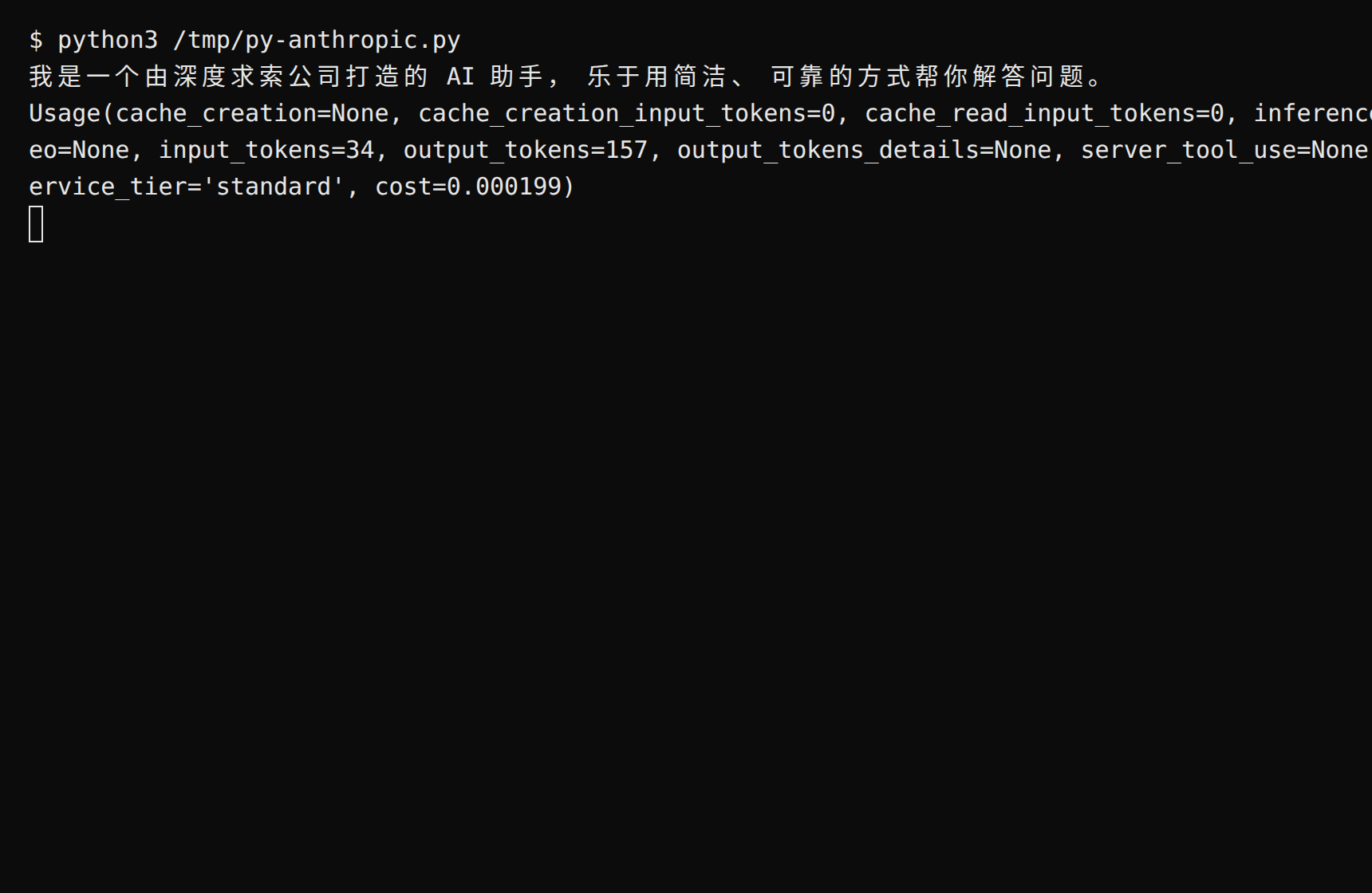
Run python3 hello.py. Expected: a reply prints, followed by Usage—max_tokens is likewise required, and content is an array of blocks. Streaming uses the client.messages.stream(...) context manager, mirroring Node.
import Anthropic from "@anthropic-ai/sdk";const client = new Anthropic({ baseURL: "https://api.deepraxis.com/anthropic", apiKey: process.env.PRAXIS_API_KEY,});const stream = client.messages.stream({ model: "deepseek-flash", max_tokens: 256, messages: [{ role: "user", content: "Explain what an API is in two sentences" }],});for await (const event of stream) { if (event.type === "content_block_delta" && event.delta.type === "text_delta") { process.stdout.write(event.delta.text); }}console.log();
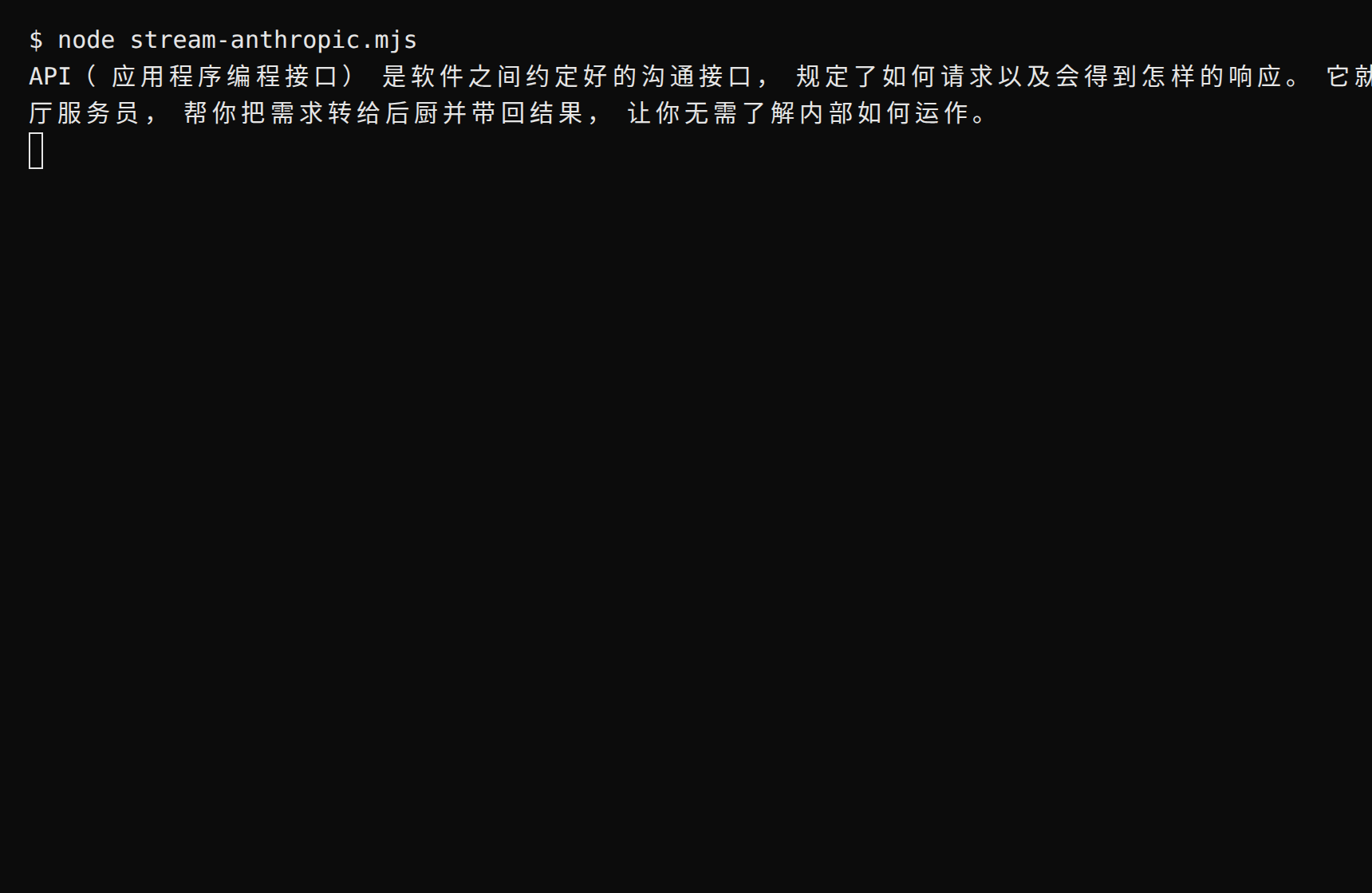
Expected: the reply prints token by token, ending with a newline. Streaming support varies per model route; a route that isn't enabled yet reports STREAMING_UNPROVEN—drop streaming or switch models and retry.
What did that call cost? The Anthropic-protocol usage carries no price; see Console → Usage & Billing for per-call details, or use the OpenAI SDK—that path returns the cost directly in usage.cost
Switch models: change the model field; fill claude-opus-5 for the Claude flagship, and deepseek-flash always points at the latest Flash generation
Read the chain of thought: on reasoning models, the content blocks with typethinking are the reasoning—read them if you need them
Connect Praxis to the Vercel AI SDK—the de-facto standard library for AI apps in React/Vue/Svelte. A custom provider takes two parameters, and generateText / streamText plus the whole toolkit work as usual. This page is verified against Node.
Every step lists its expected result: follow along yourself, or hand this page to an AI assistant that can operate your computer and let it do the install, run, and verification for you.
A Praxis API key (starting with sk-praxis-). If you don't have one, create it at Console → API Keys: click "Create Key"—the name is required, validity defaults to 90 days (or pick permanent); the success dialog shows the full key with a "Copy Key" button, and after it closes the list shows only a masked value—re-copy the full key any time from the copy icon on its row. Expected: a "Create API Key" dialog appears, and after submitting, a dialog shows the full key with a "Copy Key" button. New accounts ship with $1 of free credit. See Quickstart for the full flow.
Node.js 18 or newer (check node --version; Bun works too).
Install the SDK:
npm install ai @ai-sdk/openai
Expected: the install succeeds. An empty directory works—no npm init needed first.
Put the key in an environment variable first (export PRAXIS_API_KEY=sk-praxis-…; PowerShell: $env:PRAXIS_API_KEY="…"), then create hello.mjs:
import { createOpenAI } from "@ai-sdk/openai";import { generateText } from "ai";const praxis = createOpenAI({ baseURL: "https://api.deepraxis.com/openai/v1", apiKey: process.env.PRAXIS_API_KEY,});const { text, usage } = await generateText({ model: praxis("deepseek-flash"), prompt: "Introduce yourself in one sentence",});console.log(text);console.log(usage);
Run it:
node hello.mjs
Expected: a reply prints, followed by the usage object—camelCase, with inputTokens / outputTokens / totalTokens and a raw block; a reasoning model's reasoningTokens sits inside outputTokenDetails.
import { createOpenAI } from "@ai-sdk/openai";import { streamText } from "ai";const praxis = createOpenAI({ baseURL: "https://api.deepraxis.com/openai/v1", apiKey: process.env.PRAXIS_API_KEY,});const stream = streamText({ model: praxis("deepseek-flash"), prompt: "Explain what an API is in two sentences",});for await (const chunk of stream.textStream) { process.stdout.write(chunk);}console.log();
Expected: the reply prints token by token, ending with a newline. Streaming support varies by model and its upstream channel; some aren't enabled yet reports STREAMING_UNPROVEN—drop streaming or switch models and retry.
Chat components: the AI SDK's useChat React hooks pair naturally with server-side streamText (see the AI SDK docs); the provider setup is identical to this page
What did that call cost? The AI SDK's usage carries no price; the OpenAI SDK path returns it directly in usage.cost, or see Console → Usage & Billing
Switch models: change the model ID inside praxis("…"); deepseek-flash always points at the latest Flash generation
Connect Praxis to LangChain (JS/TS)—chains, memory, and the whole toolkit work as usual; the model side changes one baseURL. This page is verified against Node.
Every step lists its expected result: follow along yourself, or hand this page to an AI assistant that can operate your computer and let it do the install, run, and verification for you.
A Praxis API key (starting with sk-praxis-). If you don't have one, create it at Console → API Keys: click "Create Key"—the name is required, validity offers 30/60/90 days or permanent, defaulting to 90 days; the success dialog shows the full key with a "Copy Key" button, and after it closes the list shows only a masked value—re-copy the full key any time from the copy icon on its row. Expected: a "Create API Key" dialog appears, and after submitting, a dialog shows the full key with a "Copy Key" button. New accounts ship with $1 of free credit. See Quickstart for the full flow.
Node.js 18 or newer (check node --version; Bun works too).
Install the SDK:
npm install @langchain/openai
Expected: the install succeeds. An empty directory works—npm generates package.json, package-lock.json, and node_modules there; run npm install langchain when you need chains, prompt templates, or output parsers.
Put the key in an environment variable first (export PRAXIS_API_KEY=sk-praxis-…; PowerShell: $env:PRAXIS_API_KEY="…"), then create hello.mjs:
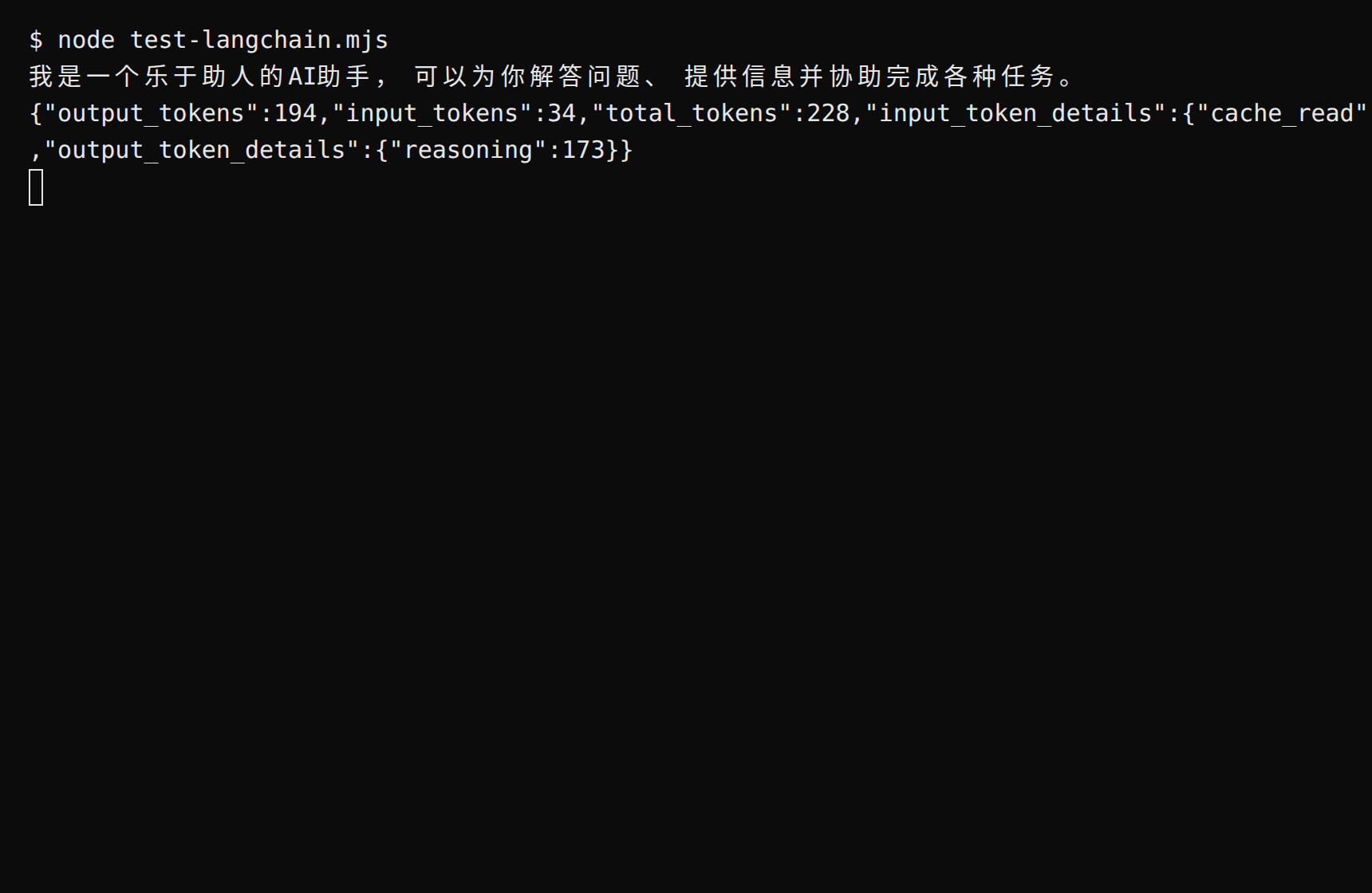
import { ChatOpenAI } from "@langchain/openai";const model = new ChatOpenAI({ model: "deepseek-flash", configuration: { baseURL: "https://api.deepraxis.com/openai/v1", apiKey: process.env.PRAXIS_API_KEY, },});const res = await model.invoke("Introduce yourself in one sentence");console.log(res.content);console.log(res.usage_metadata);
Run it:
node hello.mjs
Expected: a reply prints, followed by the usage object (input_tokens / output_tokens / total_tokens; the reasoning token count sits at output_token_details.reasoning). Note the difference from the official OpenAI SDK: the URL and key live inside the nested configuration object, not at the top level.
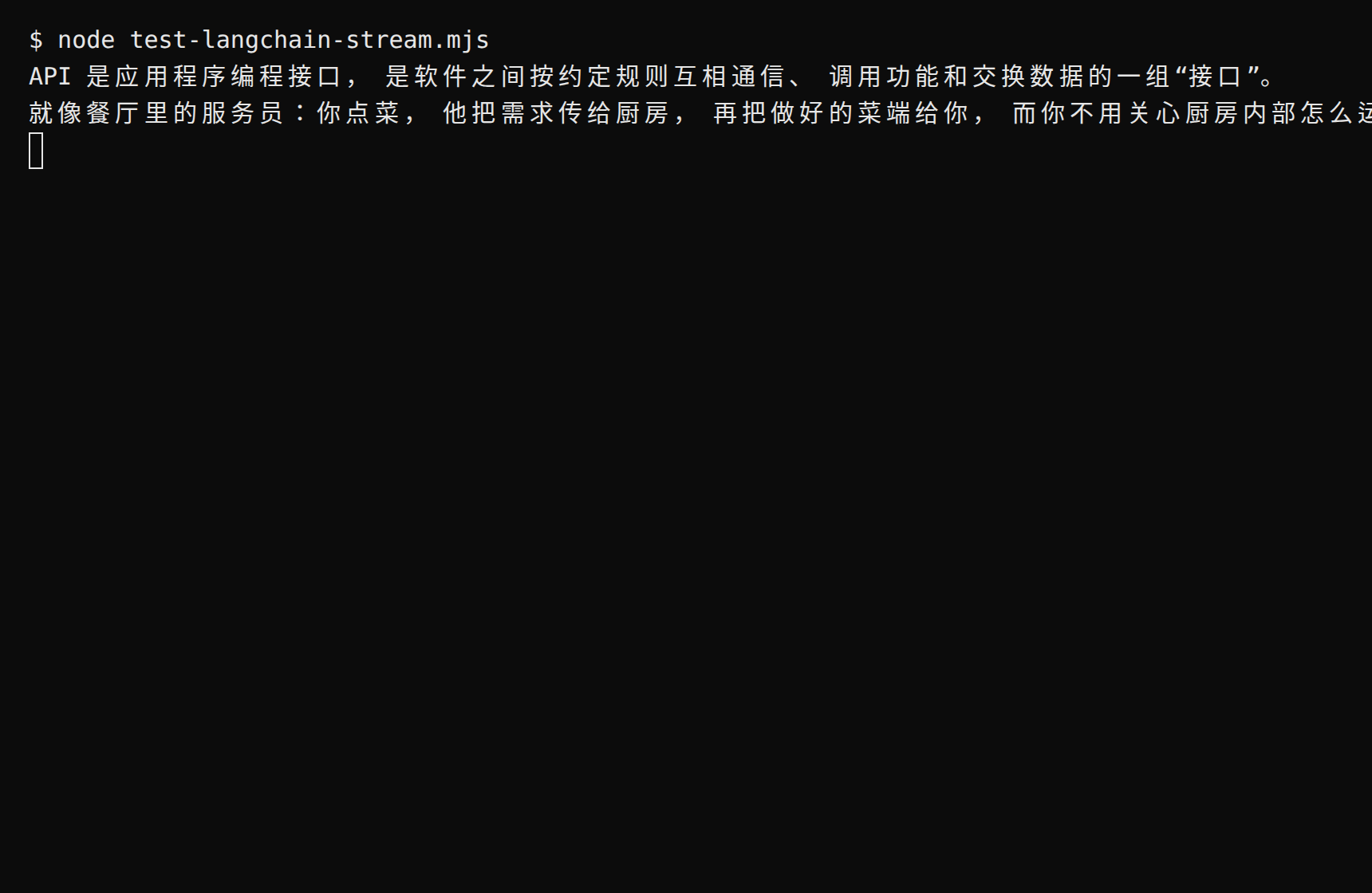
import { ChatOpenAI } from "@langchain/openai";const model = new ChatOpenAI({ model: "deepseek-flash", configuration: { baseURL: "https://api.deepraxis.com/openai/v1", apiKey: process.env.PRAXIS_API_KEY, },});const stream = await model.stream("Explain what an API is in two sentences");for await (const chunk of stream) { process.stdout.write(chunk.content);}console.log();
Expected: the reply prints token by token, ending with a newline. Streaming support varies by model and its upstream channel; some aren't enabled yet—drop streaming or switch models and retry.
Keep the OpenAI SDK and migrate one Chat Completions request by changing the base URL, key, and model ID. This changes the model producing the answer; it does not make DeepSeek behave like GPT-4o.
You need Python 3.10+, uv, and a Praxis key. Create one in Console → API Keys and securely inject it into the current terminal as PRAXIS_API_KEY. Never put the key in code or logs. Keep your original service configuration and key for rollback. Run the commands below in Bash on macOS or Linux.
test -n "${PRAXIS_API_KEY:-}"
Expected: exit code 0. Exit code 1 means the variable is missing; set it before continuing.
These are migration choices, not aliases or promises of equivalent quality. Availability was checked on October 12, 2026; confirm it in the model catalog before switching traffic.
Existing ID
Praxis choice
What changes
gpt-4o, gpt-4o-mini
deepseek-flash
These original IDs do not exist; reassess prompts, tools, and output quality
gpt-4.1, o3-mini, gpt-5
deepseek-flash
No automatic mapping; the original IDs return 404
An OpenAI-family model is required
gpt-5.6-sol
Chat Completions is available; Responses is not
Existing Responses code
deepseek-flash or glm-5.3-flash
These are the currently available Responses choices
For Responses, check that your selected ID appears in GET /openai/v1/models?api=responses (Python: client.models.list(extra_query={"api": "responses"})). Alternatively, inspect supported_apis in GET /model/v1/models or GET /model/v1/models/{id} and confirm it includes openai.responses. Other OpenAI filters are chat, embeddings, images, audio, and videos; comma-separated values match any selected API.
A protocol-compatible request keeps its protocol when forwarded. This does not guarantee every official model, endpoint, or field is available.
A listed model can still reject a particular operation with 404 model_protocol_not_offered. Keep Chat and Responses capability checks separate.
Recheck streaming, tool execution, structured output, and reasoning on your own prompts before shifting traffic. Field differences live in Chat Completions and Responses.
Files, conversations, and response IDs from the original service do not move with a URL change. Retain source data and rebuild the resources your application needs.
Chat's usage.cost is the amount charged; Responses and Messages currently omit it. When X-Praxis-Generation-Id is present, use GET /model/v1/generation?id=GENERATION_ID as described in the generation record API. Records may take a few seconds to appear. If the header is absent, check Console → Usage and costs. Neither the response body's id nor X-Request-Id is a substitute for a generation ID. Missing cost does not mean zero cost.
Paths below are relative to /openai/v1 and return 404. Alternatives are not equivalent replacements. If your application depends on these operations, split the calls and keep the original service.
Original endpoint
Migration option
moderations
No direct replacement; keep your moderation service
batches
Send individual requests with application-controlled concurrency
fine_tuning
Choose an existing model; retain your fine-tuning workflow
assistants
Rebuild with Responses / Conversations and an application tool loop
completions
Use chat/completions with messages
audio/translations
Transcribe first, then translate through chat
uploads
Use files; check size and purpose limits
images/variations
Submit the image and editing instructions to images/edits; evaluate the result
Available endpoints include chat/completions, responses, embeddings, images/generations, images/edits, audio/speech, audio/transcriptions, videos, files, and models. Endpoint availability does not mean every model supports that capability. See the OpenAI API reference for individual operations and limits.
Run this complete example after setting PRAXIS_API_KEY:
unset HTTP_PROXY HTTPS_PROXY ALL_PROXY http_proxy https_proxy all_proxyuv run -q --no-project --with openai --with anthropic python - <<'PY'import osfrom openai import OpenAIclient = OpenAI( base_url="https://api.deepraxis.com/openai/v1", api_key=os.environ["PRAXIS_API_KEY"], timeout=90.0, max_retries=0,)models = client.models.list(extra_query={"api": "chat"})assert "deepseek-flash" in {m.id for m in models.data}raw = client.chat.completions.with_raw_response.create( model="deepseek-flash", messages=[{"role": "user", "content": "Reply OK."}], max_tokens=1024,)reply = raw.parse()text = reply.choices[0].message.contentprint("HTTP", raw.status_code)print("X-Request-Id:", raw.headers.get("x-request-id"))print("X-Praxis-Generation-Id:", raw.headers.get("x-praxis-generation-id"))print(text)assert raw.status_code == 200 and text and text.strip()assert raw.headers.get("x-request-id")PY
Expected: exit code 0, HTTP 200, nonempty text (usually OK.), and an X-Request-Id. Assertions check both model availability and a real reply, not just connectivity. Keep the request ID for troubleshooting, never the key. The example incurs a small usage charge.
Restore all three original values: https://api.openai.com/v1, the key from OPENAI_API_KEY, and your original model ID. Remove Praxis-only request fields and restore original resource IDs. Restart the application so its client uses the restored configuration, then run your original smoke test. Keep its request ID.
Expected: the original endpoint returns a successful response with usable text. Rolling back configuration does not refund calls already made or copy conversation state between services.
You need Python 3.10+, uv, and a Praxis key. Create one in Console → API Keys and securely inject it into the current terminal as PRAXIS_API_KEY. Never put the key in code or logs. Keep your original service configuration and key for rollback. Run the commands below in Bash on macOS or Linux.
test -n "${PRAXIS_API_KEY:-}"
Expected: exit code 0. Exit code 1 means the variable is missing; set it before continuing.
A different model, not a Claude alias; reevaluate quality and tool behavior
A Claude model is required
Copy an available Claude ID from /anthropic/v1/models
claude-opus-5 appeared in the catalog on October 12, 2026; verify your required capabilities before use
The SDK base URL ends at /anthropic, without /v1: the SDK adds /v1/messages. The catalog lists models available through the Anthropic protocol. It is separate from /openai/v1/models and /google/v1beta/models.
Expected: your exact model ID is present in client.models.list(); do not carry over an official ID without checking.
thinking supports enabled, adaptive, and disabled; output_config.effort is available. Some models cannot disable thinking and return 400 with cannot disable thinking. See Messages field support before combining options.
Read text blocks from content, rather than assuming the first block is text. A reasoning model can return a thinking block first.
count_tokens returns a calibrated estimate with x-praxis-token-count: estimated, not an exact billing measurement. See Count tokens.
Chat's usage.cost is the amount charged; Responses and Messages currently omit it. When X-Praxis-Generation-Id is present, use GET /model/v1/generation?id=GENERATION_ID as described in the generation record API. Records may take a few seconds to appear. If the header is absent, check Console → Usage and costs. Neither the response body's id nor X-Request-Id is a substitute for a generation ID. Missing cost does not mean zero cost.
The compatible model API provides Messages, token counting, model listing, and file operations with the limits in the Anthropic API reference. Message Batches (/anthropic/v1/messages/batches) is not provided; send individual Messages requests with application-controlled concurrency or keep batch processing on the original service. Official model IDs and file IDs are not automatically mapped; select a catalog model and re-upload needed source files.
unset HTTP_PROXY HTTPS_PROXY ALL_PROXY http_proxy https_proxy all_proxyuv run -q --no-project --with openai --with anthropic python - <<'PY'import osfrom anthropic import Anthropicclient = Anthropic( base_url="https://api.deepraxis.com/anthropic", api_key=os.environ["PRAXIS_API_KEY"], timeout=90.0, max_retries=0,)models = client.models.list()assert "deepseek-flash" in {m.id for m in models.data}raw = client.messages.with_raw_response.create( model="deepseek-flash", max_tokens=1024, messages=[{"role": "user", "content": "Reply OK."}],)reply = raw.parse()text = "".join(block.text for block in reply.content if block.type == "text")print("HTTP", raw.status_code)print("X-Request-Id:", raw.headers.get("x-request-id"))print("X-Praxis-Generation-Id:", raw.headers.get("x-praxis-generation-id"))print(text)assert raw.status_code == 200 and text and text.strip()assert raw.headers.get("x-request-id")PY
Expected: exit code 0, HTTP 200, nonempty text (usually OK.), and an X-Request-Id. Assertions check both model availability and a real reply, not just connectivity. Keep the request ID for troubleshooting, never the key. The example incurs a small usage charge.
Restore https://api.anthropic.com, the key from ANTHROPIC_API_KEY, and your original Claude model ID. Restore the original thinking options and file references. Restart the client, run your previous Messages smoke test, and retain its request ID.
Expected: the original service returns usable text. Changing configuration does not move files or previous conversation state, nor reverse charges already incurred.
You need Python 3.10+, uv, and a Praxis key. Create one in Console → API Keys and securely inject it into the current terminal as PRAXIS_API_KEY. Never put the key in code or logs. Keep your original service configuration and key for rollback. Run the commands below in Bash on macOS or Linux.
test -n "${PRAXIS_API_KEY:-}"
Expected: exit code 0. Exit code 1 means the variable is missing; set it before continuing.
Available only with your own upstream key (BYOK). With platform credentials, remove them or receive 400 provider_selection_not_allowed
provider.allow_fallbacks, provider.sort
Have no effect; remove them and reassess any routing assumptions
provider.data_collection, provider.zdr
Have no effect; do not treat accepted requests as enforcement of these policies
models
A model fallback list is available; replace every ID and verify the returned model
provider.require_parameters: true
Checks support for tool parameters and declared sampling parameters; returns 400 when a requested parameter is not declared as supported. Unsupported sampling parameters are otherwise ignored by default
The parameter check covers tool parameters and declared sampling parameters, not arbitrary provider features. See Chat Completions field support for the precise scope. If your application requires a data policy controlled by an ignored option, keep it on the original service until you have separately confirmed the required policy.
Chat's usage.cost is the amount charged; Responses and Messages currently omit it. When X-Praxis-Generation-Id is present, use GET /model/v1/generation?id=GENERATION_ID as described in the generation record API. Records may take a few seconds to appear. If the header is absent, check Console → Usage and costs. Neither the response body's id nor X-Request-Id is a substitute for a generation ID. Missing cost does not mean zero cost.
vendor/model, :nitro, and openrouter/auto are not supported model selectors. There is no automatic mapping. For absent OpenAI endpoints, use the unsupported endpoint table and alternatives. The API reference owns operation and field details; do not assume OpenRouter extensions apply to Responses.
First prove the simplest Chat request, with no provider preferences:
unset HTTP_PROXY HTTPS_PROXY ALL_PROXY http_proxy https_proxy all_proxyuv run -q --no-project --with openai --with anthropic python - <<'PY'import osfrom openai import OpenAIclient = OpenAI( base_url="https://api.deepraxis.com/openai/v1", api_key=os.environ["PRAXIS_API_KEY"], timeout=90.0, max_retries=0,)models = client.models.list()assert "deepseek-flash" in {m.id for m in models.data}raw = client.chat.completions.with_raw_response.create( model="deepseek-flash", messages=[{"role": "user", "content": "Reply OK."}], max_tokens=1024,)reply = raw.parse()text = reply.choices[0].message.contentprint("HTTP", raw.status_code)print("X-Request-Id:", raw.headers.get("x-request-id"))print("X-Praxis-Generation-Id:", raw.headers.get("x-praxis-generation-id"))print(text)assert raw.status_code == 200 and text and text.strip()assert raw.headers.get("x-request-id")PY
Expected: exit code 0, HTTP 200, nonempty text (usually OK.), and an X-Request-Id. Assertions check both model availability and a real reply, not just connectivity. Keep the request ID for troubleshooting, never the key. The example incurs a small usage charge.
Then add back only the options your application needs, one at a time. Expected: each request succeeds and returns the intended model; an ignored field is not proof that a policy was applied.
Restore https://openrouter.ai/api/v1, the original OPENROUTER_API_KEY, your original model ID, and your saved OpenRouter options. Restart the client and run the original smoke request. Do not send the Praxis key to OpenRouter.
Expected: the original request returns usable text with the intended model. Any calls already charged on Praxis remain charged.
Migrate one request first: change the API base URL, the Key, and the model ID. The example below targets an OpenAI Chat Completions-compatible client. It does not translate a different request protocol automatically.
Use Python 3.10+ and uv. Put your Praxis cloud API Key in PRAXIS_API_KEY; do not put it in source code or logs.
test -n "$PRAXIS_API_KEY"
Expected: exit code 0. Exit code 1 means the variable is missing. Examples default to https://api.deepraxis.com. To switch environments, set PRAXIS_API_BASE to the API origin without a trailing slash or API path.
Set base_url to https://api.deepraxis.com/openai/v1. Expected: the URL contains /openai/v1 exactly once; it is not a Console URL or the full /chat/completions endpoint.
Use PRAXIS_API_KEY for the client Key. Expected: the old gateway's Key is no longer sent to Praxis. Keep the old configuration separately for rollback.
Use deepseek-flash as the model ID for this smoke test. Expected: it appears in GET /openai/v1/models?api=chat. A vendor prefix or alias from the previous gateway is not automatically valid here.
Choose the detailed migration guide matching your current API:
Save as gateway-migration.py and run uv run -q --no-project --with openai --with anthropic --with google-genai python gateway-migration.py.
import osfrom openai import OpenAIclient = OpenAI(api_key=os.environ['PRAXIS_API_KEY'], base_url=os.environ.get('PRAXIS_API_BASE', 'https://api.deepraxis.com') + '/openai/v1')models = client.models.list(extra_query={'api': 'chat'})print('catalog X-Request-Id:', models._request_id)assert 'deepseek-flash' in [model.id for model in models]response = client.chat.completions.create(model='deepseek-flash', messages=[{'role': 'user', 'content': 'Reply with exactly: MIGRATION_OK'}], reasoning_effort='none', max_tokens=256)print('X-Request-Id:', response._request_id)assert response.choices[0].finish_reason == 'stop'assert response.choices[0].message.content.strip() == 'MIGRATION_OK'assert response.usage is not None and response.usage.total_tokens > 0print(response.choices[0].message.content)print('usage:', response.usage.model_dump())
Expected: MIGRATION_OK, positive token usage, a catalog request ID, and an inference request ID. Exit code 0. Keep request IDs for troubleshooting, not the Key.
Run your own prompts and check streaming, tools, structured output, and reasoning settings. A successful smoke test does not establish identical model behavior. Recreate any needed file or response resources: IDs from the old gateway do not migrate with configuration. If verification fails, restore the saved base URL, Key, and model together.
An observed request for gpt-5.6-sol on Responses returned model_protocol_not_offered (HTTP 404). Chat support does not imply Responses support; use the Responses-filtered catalog described in the Responses guide. A failed model assertion means the selected ID is absent from that protocol's catalog; recheck it before sending traffic.
Each page here is a complete end-to-end scenario: crossing multiple services, using several capabilities, with a runnable result. If you just want to connect one tool, use the sections above; if you want to build something, start here.
Use the Agent SDK + model chat + context management to answer questions
Model · Agent
Batch-process documents
Use models + file upload + structured output to extract and convert at scale
Model · File
Build a RAG Q&A system
Use embeddings + search + models to answer from your knowledge base
Model · Search
Build multi-agent collaboration
Use workflows + multi-agent orchestration for complex tasks
Workflow · Agent
These are being written now, prioritized by community feedback—tell us which you want first and we'll write it next.
Add documentation Q&A
Add an on-demand Q&A window to a public documentation site. Clicking the button or pressing ⌘K / Ctrl+K downloads PraxisKit; closing the window restores focus. Visitors use a publishable key to obtain separate anonymous identities without signing in. This recipe provides a complete page and local server.
You need Bun, a Develop service agent, and a publishable key created through the anonymous visitor guide. Use an available deepseek-flash model. Prepare a test policy using the web integration guide. This example runs at http://localhost:4242 with localhost enabled. For a live site, configure its HTTPS origin and anonymous limits.
See Embed in a web page for Kit installation, fixed versions, and integrity verification. The component reference defines shared options. This recipe uses them for on-demand loading and window interactions; it needs no server API Key.
Use this recipe only for content anyone may read. If documents require sign-in, use trusted token issuance from the signed-in user recipe. Do not put private documentation in an anonymous agent.
In the dashboard, open Service agents → your agent → Integration and configuration → Configuration → Instructions. Save the sample content below, replacing it with verified product information, then select the new version. This example puts a small public FAQ into instructions. It has no crawling, indexing, or retrieval step and is not a complete retrieval-based knowledge system.
You are a product help-center assistant. Answer only from the public material below. If it does not cover the question, say you do not know and direct the visitor to the help center. Do not invent policies or read account or order data.Material: Export a report: open Reports, click Export, and select CSV. The download uses the current report filters.Material: Change notifications: open Notifications in Settings, select the notification types, and save.
Keep only capabilities needed by this task under Configuration → Tools and authorization; this example needs no business tools. In Try and debug, ask how to export a report, then ask an unrelated question. Expected: The first answer follows the supplied steps; the second acknowledges missing information. Instructions and content may be repeated to visitors, so never include secrets.
Save the following as index.html. Replace PRAXIS_PUBLISHABLE_KEY with your actual publishable key. It may appear in page source; never substitute an organization API Key. The shared pending promise combines simultaneous open actions. A failed load clears it so the visitor can retry.
Save this launcher as server.ts, run bun server.ts, and open the printed address.
const server = Bun.serve({ hostname: "127.0.0.1", port: 4242, fetch(request) { const url = new URL(request.url); if (request.method === "GET" && url.pathname === "/") { return new Response(Bun.file("index.html"), { headers: { "Cache-Control": "no-store" } }); } return new Response("Not found", { status: 404 }); },});console.log(`Open http://localhost:${server.port}`);
Expected: The initial page makes no Kit download request. Clicking the button loads the module and opens a centered window. Later opens reuse the same element and anonymous identity. Escape closes it and restores focus to the previous control. The page owns the shortcut; Kit supplies the window layout, backdrop, and close behavior.
This test checks deferred loading, a single instance, keyboard interaction, and focus. Seeing a component is not proof of a working conversation. Next, ask how to export a report and verify the stated steps. Ask an unsupported question and confirm that the answer does not invent information. Match the messages and anonymous user in Operations and management → Sessions.
Use a separate browser profile for another visitor and confirm that it cannot see the first visitor's conversations. Refresh the original browser to check identity continuity. Kit stores visitor_secret for this purpose and falls back to page memory when storage is unavailable. Never copy or share that value. A publishable key does not turn every visitor into one signed-in account.
A download failure displays a retry message. Check the network, CSP, and fixed version URL, then click again. A failed download should not leave a partially initialized component.
If the window opens but cannot reply, check that the publishable key is enabled, the origin is allowed, and budget remains. Use the actual response with Embed limits and errors.
Reopening cannot resolve an origin or quota refusal. Correct the dashboard configuration before testing another real reply.
For wrong answers, update the material and instructions, verify the selected version, and start a fresh conversation. Increasing a timeout cannot fill a knowledge gap.
Stop the local server after testing. Disable the dedicated test publishable key and revoke unwanted test access through End-user management. Closing the window alone does not revoke tokens. Before launch, replace the test origin with the real site and complete the go-live checklist.
The index.html, server.ts, and docs-qa.spec.ts blocks on this page form the complete example. To include the current article title, continue with Pass context. For private order data, use the SaaS signed-in user recipe.
Embed an authenticated SaaS assistant
Embed an order assistant in a SaaS workspace: alice can read her orders, bob can read his, and returns require confirmation. This runnable example connects host sign-in, trusted token issuance, page context, and MCP authorization. Its orders are in-memory fixtures, not a connection to a real order system.
You need Bun, an available Develop service agent, an organization API Key, and a test domain that proxies HTTPS requests to local port 4242. Praxis must be able to reach /mcp on that domain. Follow Web integration to prepare Kit, the environment, and origin policy. Shared fields are documented in Embed tokens and the component reference.
Basic authentication below is only for two test accounts sharing your chosen test password. An existing SaaS should replace authenticate with server-side session verification and retain origin and CSRF protection. Never select external_user_id from the request body. The server binds to loopback and is exposed only through your HTTPS proxy.
Provide five server environment variables: PRAXIS_API_KEY for the organization Key, PRAXIS_AGENT for the actual agent_… ID, PRAXIS_MCP_SECRET for your order-service credential, DEMO_PASSWORD for test sign-in, and APP_ORIGIN for the HTTPS test origin without a path. Keep them out of page source and version control.
In a new example directory, run bun add @modelcontextprotocol/server@2.0.0. Save this complete module as orders.ts. list_orders has no user argument: identity comes from a request header only after the service credential is verified. request_return checks ownership before changing state. It does not rely on the model to supply an authorized order.
import { McpServer, WebStandardStreamableHTTPServerTransport, fromJsonSchema } from "@modelcontextprotocol/server";const orders = [ { id: "order_a", user: "alice", item: "Headphones", status: "delivered" }, { id: "order_b", user: "bob", item: "Keyboard", status: "delivered" },];const returns = new Set<string>(); // Demo memory only; production needs durable storage.const knownUser = (user: string | null): user is string => user === "alice" || user === "bob";export function listOrders(user: string) { return orders.filter(order => order.user === user).map(order => ({ id: order.id, item: order.item, status: returns.has(order.id) ? "return_requested" : order.status, }));}export function requestReturn(user: string, orderId: string, reason: string) { const order = orders.find(order => order.id === orderId && order.user === user); if (!order) return { error: "Order missing or not owned by this user" }; if (!reason.trim() || reason.length > 500) return { error: "Provide a reason of 1–500 characters" }; if (returns.has(order.id)) return { error: "Return already requested" }; returns.add(order.id); return { order_id: order.id, status: "return_requested" };}const result = (value: unknown, isError = false) => ({ content: [{ type: "text" as const, text: JSON.stringify(value) }], ...(isError ? { isError: true } : {}),});export async function handleMcp(request: Request, secret: string): Promise<Response> { if (!secret || request.headers.get("Authorization") !== `Bearer ${secret}`) { return new Response("Unauthorized", { status: 401 }); } const user = request.headers.get("X-Praxis-External-User-Id"); if (!knownUser(user)) return new Response("Unknown end user", { status: 403 }); // A fresh closure per request prevents concurrent users from sharing identity. const server = new McpServer({ name: "orders", version: "1.0.0" }); server.registerTool("list_orders", { description: "List orders owned by the current user.", inputSchema: fromJsonSchema<Record<string, never>>({ type: "object", properties: {}, additionalProperties: false }), annotations: { readOnlyHint: true }, }, async () => result(listOrders(user))); server.registerTool("request_return", { description: "Request a return after the user confirms the order and reason.", inputSchema: fromJsonSchema<{ order_id: string; reason: string }>({ type: "object", properties: { order_id: { type: "string", minLength: 1, maxLength: 100 }, reason: { type: "string", minLength: 1, maxLength: 500 }, }, required: ["order_id", "reason"], additionalProperties: false, }), annotations: { readOnlyHint: false, destructiveHint: true }, }, async ({ order_id, reason }) => { const value = requestReturn(user, order_id, reason); return result(value, "error" in value); }); const transport = new WebStandardStreamableHTTPServerTransport({ sessionIdGenerator: undefined, enableJsonResponse: true, }); await server.connect(transport); try { return await transport.handleRequest(request); } finally { await server.close(); }}
Expected: Queries return only the current user's orders. bob cannot return order_a; alice can. Repeating the return produces an error. Replace the in-memory collection with durable transactions and business deduplication before production. Restarting this example resets every return.
Save this as server.ts. Page and token routes share the same sign-in check. The MCP route uses a separate service credential. Retrieve trusted customer information from your backend; this example uses the verified test username. Keep secrets out of system_message.
import { timingSafeEqual } from "node:crypto";import { handleMcp } from "./orders";const { PRAXIS_API_KEY, PRAXIS_AGENT, PRAXIS_MCP_SECRET, DEMO_PASSWORD, APP_ORIGIN } = process.env;if (!PRAXIS_API_KEY || !PRAXIS_AGENT || !PRAXIS_MCP_SECRET || !DEMO_PASSWORD || !APP_ORIGIN) { throw new Error("Set all five server variables");}const origin = new URL(APP_ORIGIN).origin;const noStore = { "Cache-Control": "no-store" };function authenticate(request: Request) { const actual = Buffer.from(request.headers.get("Authorization") ?? ""); for (const id of ["alice", "bob"]) { const expected = Buffer.from("Basic " + Buffer.from(`${id}:${DEMO_PASSWORD}`).toString("base64")); if (actual.length === expected.length && timingSafeEqual(actual, expected)) return id; }}Bun.serve({ hostname: "127.0.0.1", port: 4242, async fetch(request) { const path = new URL(request.url).pathname; if (path === "/mcp") return handleMcp(request, PRAXIS_MCP_SECRET); const user = authenticate(request); if (!user) return new Response("Sign in", { status: 401, headers: { ...noStore, "WWW-Authenticate": 'Basic realm="Order demo"' }, }); if (request.method === "GET" && path === "/") { return new Response(Bun.file("index.html"), { headers: noStore }); } if (request.method === "POST" && path === "/api/praxis-token") { if (request.headers.get("Origin") !== origin) return new Response("Origin rejected", { status: 403 }); try { const response = await fetch("https://api-develop.deepraxis.com/agent/v1/embed_tokens", { method: "POST", headers: { Authorization: `Bearer ${PRAXIS_API_KEY}`, "Content-Type": "application/json" }, body: JSON.stringify({ agent: PRAXIS_AGENT, external_user_id: user, system_message: [{ type: "text", text: `Signed-in customer: ${user}. Use order tools for order facts.` }], }), signal: AbortSignal.timeout(30_000), }); if (!response.ok) return new Response("Token issuance failed", { status: response.status, headers: noStore }); const data = await response.json(); if (typeof data.token !== "string" || typeof data.expires_at !== "string") throw new Error("Invalid response"); return Response.json({ token: data.token, expires_at: data.expires_at }, { headers: noStore }); } catch { return new Response("Assistant unavailable", { status: 502, headers: noStore }); } } return new Response("Not found", { status: 404 }); },});
After saving index.html from the next section, run bun server.ts with all five variables injected into its server process. Proxy the test domain to 127.0.0.1:4242, preserving Authorization, Origin, and MCP request headers. Do not log credentials.
In Service agents → your agent → Integration and configuration → Configuration:
Set instructions to use order tools for queries and returns, never invent orders, and confirm the order and reason before returning. Select an available deepseek-flash model.
Under MCP and credentials, add an HTTP server named orders at your test domain plus /mcp. Store the credential matching PRAXIS_MCP_SECRET in a vault, restrict its allowed host to the MCP domain, and save the vault selection.
Under Tools and authorization, set list_orders to automatic execution and request_return to ask every time. Save a new configuration version and ensure embedding uses it.
Under Security, select an available environment and the same HTTPS origin as APP_ORIGIN, then save. Embed policy and vault selection currently can only be configured in the dashboard.
Expected: Unsigned host token requests return 401. Only authenticated, same-origin requests issue a Praxis token. The host returns token and expires_at without caching. Praxis issuance succeeds with 201; this host projects success as 200.
Save this as index.html. The input tells the assistant which order is being discussed. It cannot change identity or grant access. setReadable values accompany later user messages, while the order service always checks ownership independently.
Expected: Sign-in shows the order page and a bubble at the bottom right. Asking for your orders calls list_orders. Entering order_a and requesting a return prompts for confirmation before executing the write tool. Denying confirmation must leave the order unchanged.
Use separate browser profiles or private windows for the test accounts to avoid cached Basic credentials. In production, sign-out must end the host session and destroy the component. Mount a fresh component and issue fresh credentials for the next user. See the full token lifecycle.
Save this as orders.test.ts and run nice -n 10 bun test orders.test.ts. It uses a local fake credential, makes no Praxis calls, and changes no real orders.
import { test, expect } from "bun:test";import { handleMcp, listOrders, requestReturn } from "./orders";test("orders remain scoped to the authenticated user", () => { expect(listOrders("alice").map(order => order.id)).toEqual(["order_a"]); expect(listOrders("bob").map(order => order.id)).toEqual(["order_b"]); expect(requestReturn("bob", "order_a", "Wrong item")).toHaveProperty("error"); expect(listOrders("alice")[0].status).toBe("delivered"); expect(requestReturn("alice", "order_a", "Wrong item")).toEqual({ order_id: "order_a", status: "return_requested" }); expect(requestReturn("alice", "order_a", "Try again")).toHaveProperty("error");});test("an identity header without the service credential grants no access", async () => { const forged = new Request("https://example.test/mcp", { method: "POST", headers: { "X-Praxis-External-User-Id": "alice" }, }); expect((await handleMcp(forged, "local-test-only")).status).toBe(401); const missingUser = new Request("https://example.test/mcp", { method: "POST", headers: { Authorization: "Bearer local-test-only" }, }); expect((await handleMcp(missingUser, "local-test-only")).status).toBe(403);});
Expected: Both tests pass. Cross-user returns fail, and a forged identity header without the service credential returns 401. Then verify the real integration in separate browsers:
Action
Expected result and verification
alice and bob each list orders
Only order_a and order_b, respectively; replay shows the matching end user
bob enters order_a and requests a return
The tool denies access without changing alice's order; neither page context nor model arguments replace identity
alice requests a return but denies confirmation
No return executes; a new query still reports delivered
alice requests again and confirms
The return succeeds; refreshing and querying shows its state within this server process
bob opens conversation history
No alice conversations; also test session access using the lifecycle checks
Confirmation expresses user intent. Trust X-Praxis-External-User-Id for authorization only after verifying the MCP caller's credential. Trusting an identically named header from an arbitrary internet request lets an attacker impersonate users.
For MCP 401, compare the vault credential with the order-service configuration and check the allowed host. For 403, confirm that the issued identity is alice or bob. For origin refusal, compare the HTTPS origins. If tools are missing, check the saved version and MCP configuration. Record statuses and request identifiers, never Keys or tokens.
After testing, revoke test-user tokens, disable test credentials, stop the server, and remove the test proxy. Return state disappears with the process. Before connecting real business data, replace storage, authentication, and business rules, then complete the go-live checklist.