OpenAI SDK
Connect Praxis to the OpenAI SDK: three core lines—swap the baseURL and go.
Connect Praxis through the official OpenAI SDK—keep every line of your existing OpenAI code, change one baseURL. This page is verified against both Node and Python (other languages share the shape).
Every step lists its expected result: follow along yourself, or hand this page to an AI assistant that can operate your computer and let it do the install, run, and verification for you.
What you'll accomplish
- Call Praxis models with the OpenAI SDK and get replies plus usage
- Done when:
hello.mjsprints a reply withusage, andstream.mjsprints token by token - Time needed: 3 minutes (excluding the Node.js install)
- Protocol: OpenAI-compatible (
/openai/v1)
Prerequisites
Confirm each item before you start:
-
A Praxis API key (starting with
sk-praxis-). If you don't have one, create it at Console → API Keys: click "Create Key"—the name is required, validity defaults to 90 days (or pick permanent)—copy it right away; you can re-copy the full key any time from the copy icon on its row. New accounts ship with $1 of free credit. See Quickstart for the full flow. -
Node.js 18 or newer (check
node --version; Bun works too). -
Install the SDK—from your project directory:
npm install openaiExpected: the install succeeds and
node -e "require('openai')"throws nothing.
First request
Create hello.mjs and paste as-is (swap in your key):
import OpenAI from "openai";

const client = new OpenAI({
  baseURL: "https://api.deepraxis.com/openai/v1",
  apiKey: "sk-praxis-your-key",
});

const completion = await client.chat.completions.create({
  model: "deepseek-flash",
  messages: [{ role: "user", content: "Introduce yourself in one sentence" }],
});

console.log(completion.choices[0].message.content);
console.log(completion.usage);
Run it:
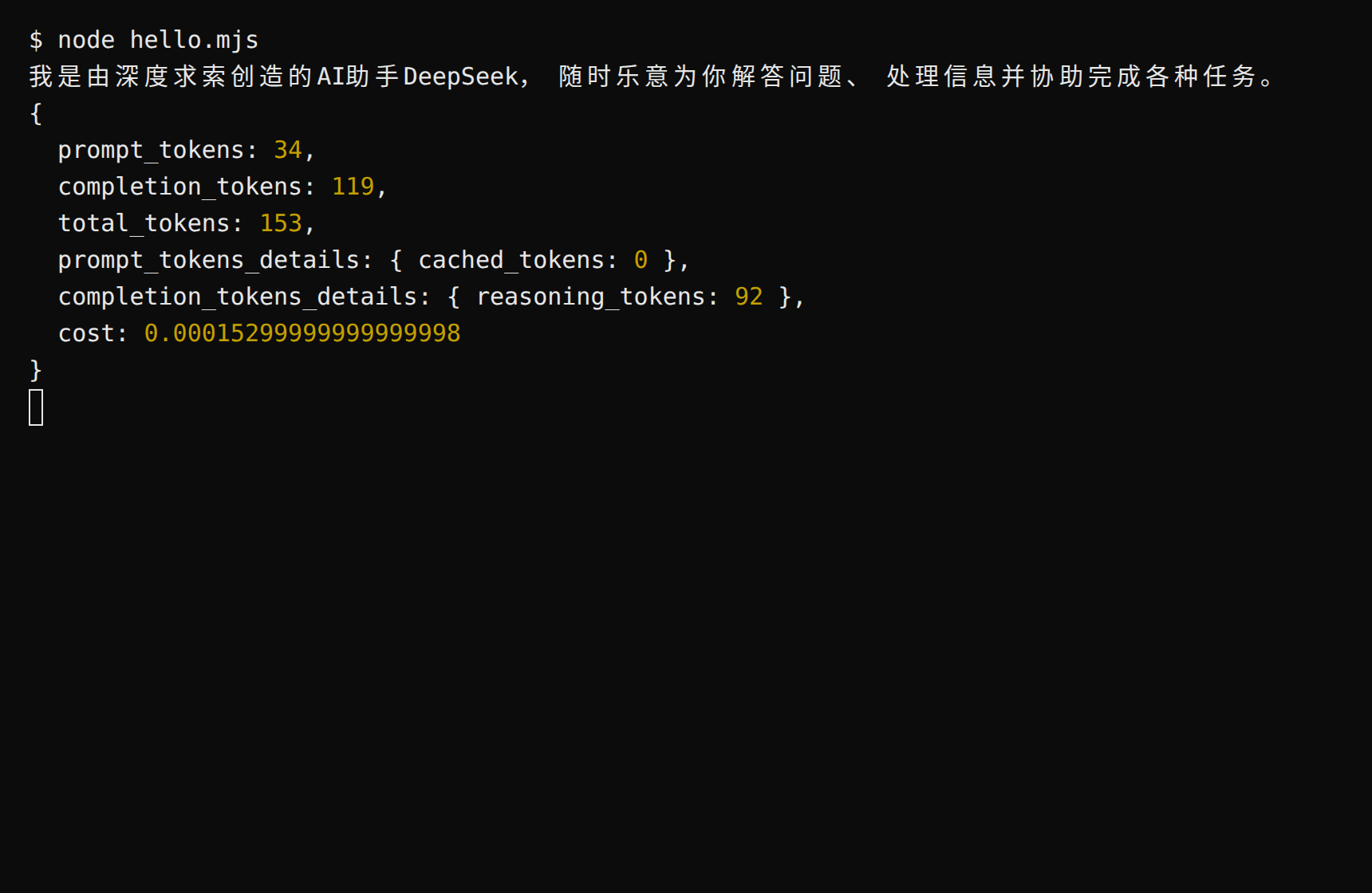
node hello.mjsExpected: a reply prints, followed by the usage object—note the cost field: what this call cost, already computed for you (pay per call; Usage & Billing in the console shows the same numbers).
Prefer the key in an environment variable over hardcoding: export PRAXIS_API_KEY=sk-praxis-… (PowerShell: $env:PRAXIS_API_KEY="…"), then use apiKey: process.env.PRAXIS_API_KEY.
Python version
pip install openaiSet the environment variable first (export PRAXIS_API_KEY=sk-praxis-your-key; PowerShell: $env:PRAXIS_API_KEY="your-key"), then create hello.py:
import os
from openai import OpenAI

client = OpenAI(
    base_url="https://api.deepraxis.com/openai/v1",
    api_key=os.environ["PRAXIS_API_KEY"],
)

completion = client.chat.completions.create(
    model="deepseek-flash",
    messages=[{"role": "user", "content": "Introduce yourself in one sentence"}],
)

print(completion.choices[0].message.content)
print(completion.usage)
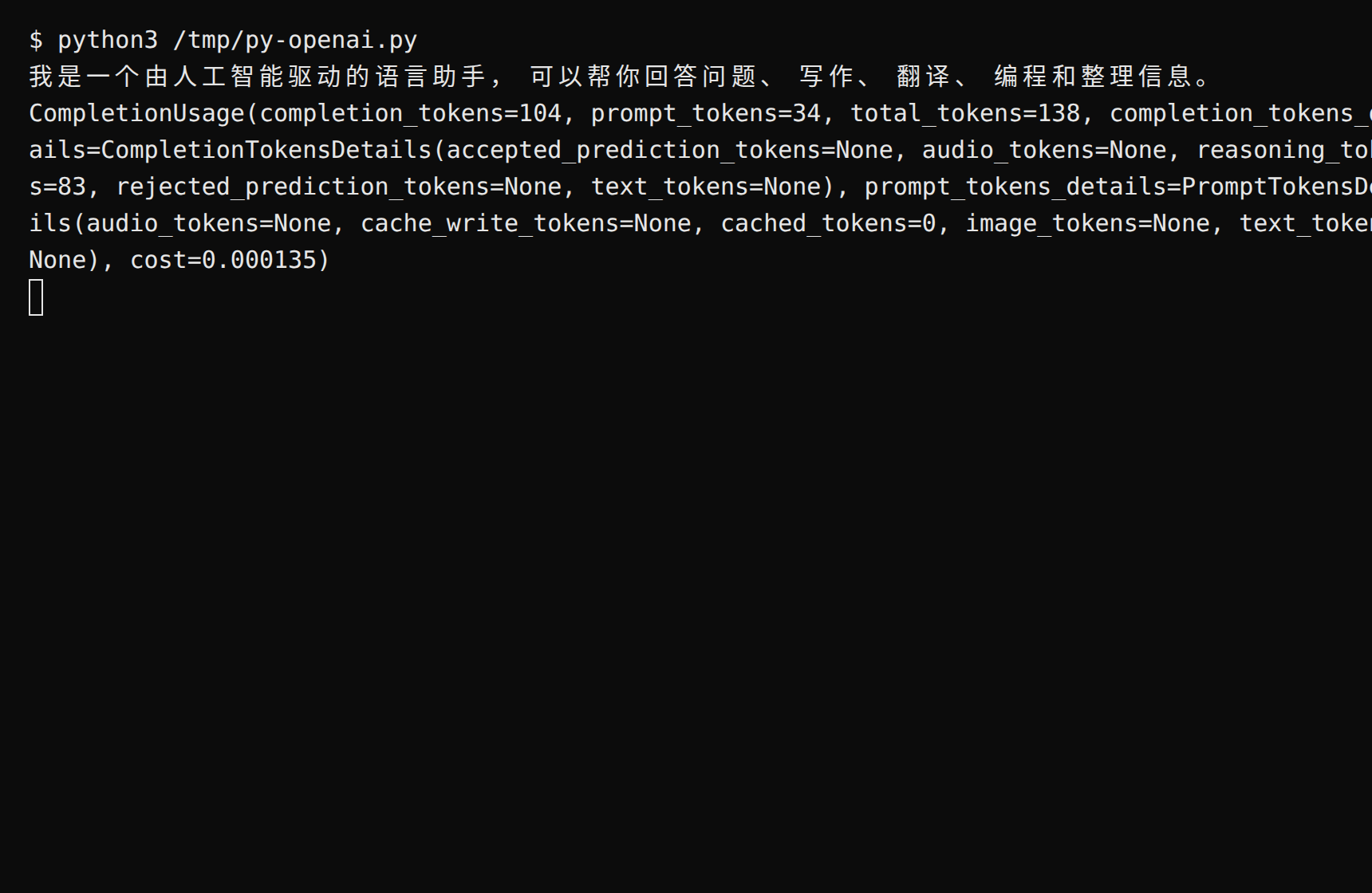
Run python3 hello.py. Expected: a reply prints, followed by CompletionUsage—its cost field states what the call cost. Streaming mirrors Node (stream=True, then iterate delta.content).
Streaming
Create stream.mjs:
import OpenAI from "openai";

const client = new OpenAI({
  baseURL: "https://api.deepraxis.com/openai/v1",
  apiKey: process.env.PRAXIS_API_KEY,
});

const stream = await client.chat.completions.create({
  model: "glm-5.3-flash",
  messages: [{ role: "user", content: "Explain what an API is in two sentences" }],
  stream: true,
});

for await (const chunk of stream) {
  process.stdout.write(chunk.choices[0]?.delta?.content ?? "");
}
console.log();
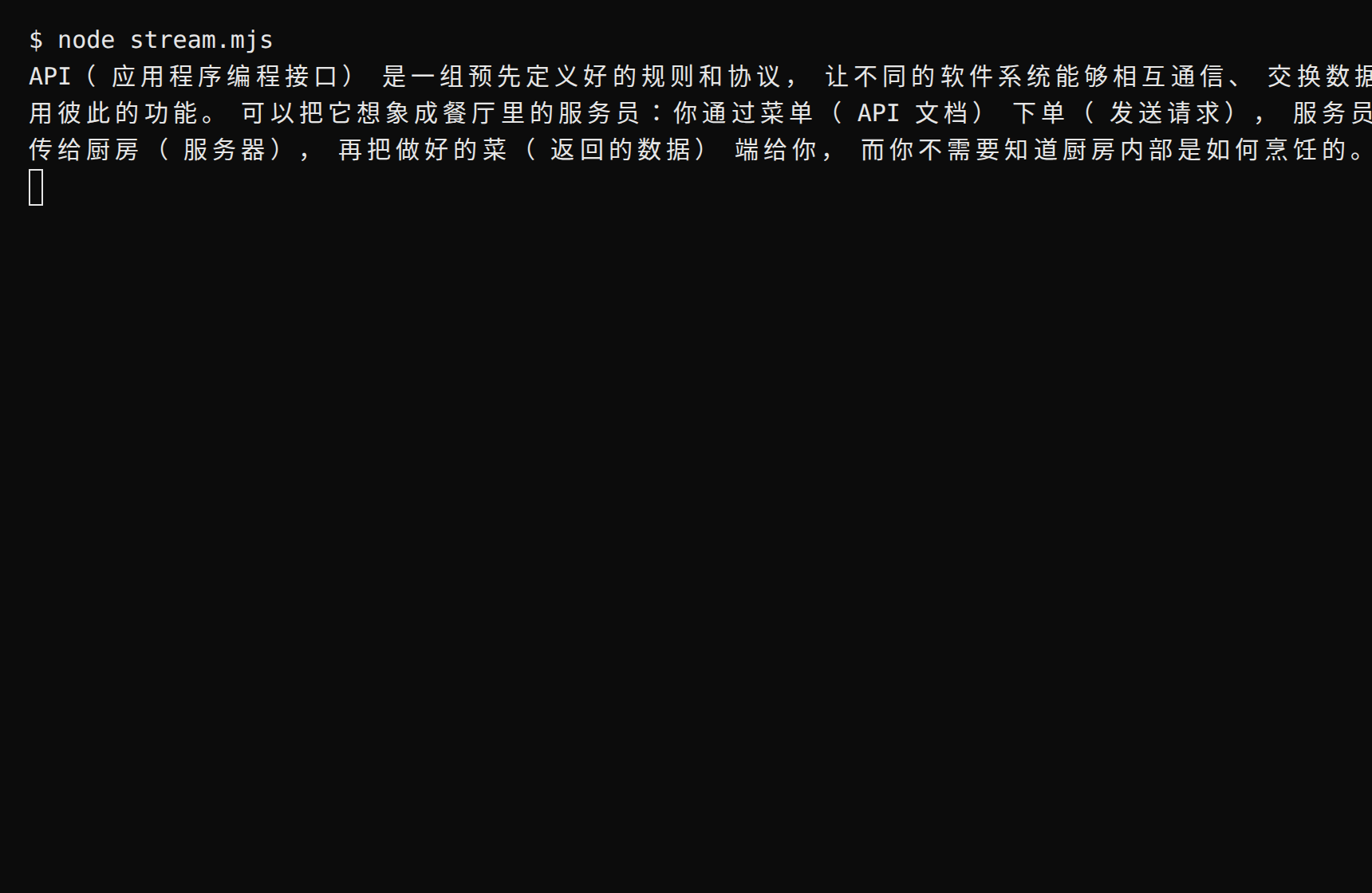
Expected: the reply prints token by token, ending with a newline—streaming. The sample uses glm-5.3-flash; streaming support varies per model route—see the FAQ below.
FAQ
| Symptom | Cause | Fix |
|---|---|---|
| 401 / invalid token | Key copied incompletely or missing from the environment | Copy it again in full (mind the sk-praxis- prefix); check with echo $env:PRAXIS_API_KEY |
400 STREAMING_UNPROVEN | That model isn't streaming-enabled yet (enabled per route; occasional) | Drop stream: true, or retry with another model |
| "Model not found" | Model ID doesn't match the catalog | Copy the exact ID from Console → Models |
| Connection timeout | Local network | Retry or switch networks; or probe the gateway with the command below (expect 200) |
Connectivity self-check:
curl -sS https://api.deepraxis.com/openai/v1/models \
  -H "Authorization: Bearer $PRAXIS_API_KEY" -o /dev/null -w "%{http_code}"
Expected output: 200.
Advanced
- What did that call cost? Non-streaming calls return the price directly in
usage.cost—no token math. In streaming, the cost sits in theusageof the last chunk (that chunk has an emptychoicesand carriescost)—stream_options: { include_usage: true }is optional; the platform sends usage either way; Console → Usage & Billing itemizes every call - List models:
await client.models.list()—the same source as Console → Models - Switch models: change the
modelfield;deepseek-flashalways points at the latest Flash generation,deepseek-v4-flashis a pinned snapshot
Related recipes
- Anthropic SDK (the Anthropic-protocol sibling) · LangChain · Vercel AI SDK
- Rather not write code? See Cherry Studio · Codex