Claude Code
Connect Praxis to Claude Code: a terminal coding agent on your own key.
Connect Praxis to Claude Code and drive the terminal coding agent with your own key—editing code, running commands, answering questions.
Every step lists its expected result: follow along yourself, or hand this page to an AI assistant that can operate your computer and let it do the install, setup, and verification for you.
What you'll accomplish
- Call Praxis models with the
claudecommand in your terminal - Done when:
claude -p "…"returns a model reply - Time needed: 3 minutes (excluding the Node.js install)
- Protocol: Anthropic-compatible (Claude Code's native protocol)
Prerequisites
Confirm each item before you start:
-
A Praxis API key (starting with
sk-praxis-). If you don't have one, create it at Console → API Keys: click "Create Key"—the name is required, the validity defaults to 90 days (or pick permanent)—then copy it right away. You can also re-copy the full key any time from the "Copy" action on its row in the key list. New accounts ship with $1 of free credit. See Quickstart for the full flow. -
Node.js 18 or newer. Check with
node --version; install the LTS from nodejs.org if needed. -
Install Claude Code:
npm install -g @anthropic-ai/claude-codeExpected:
claude --versionprints a version number (this page follows 2.1.211).
Configure
Step 1: write the config file
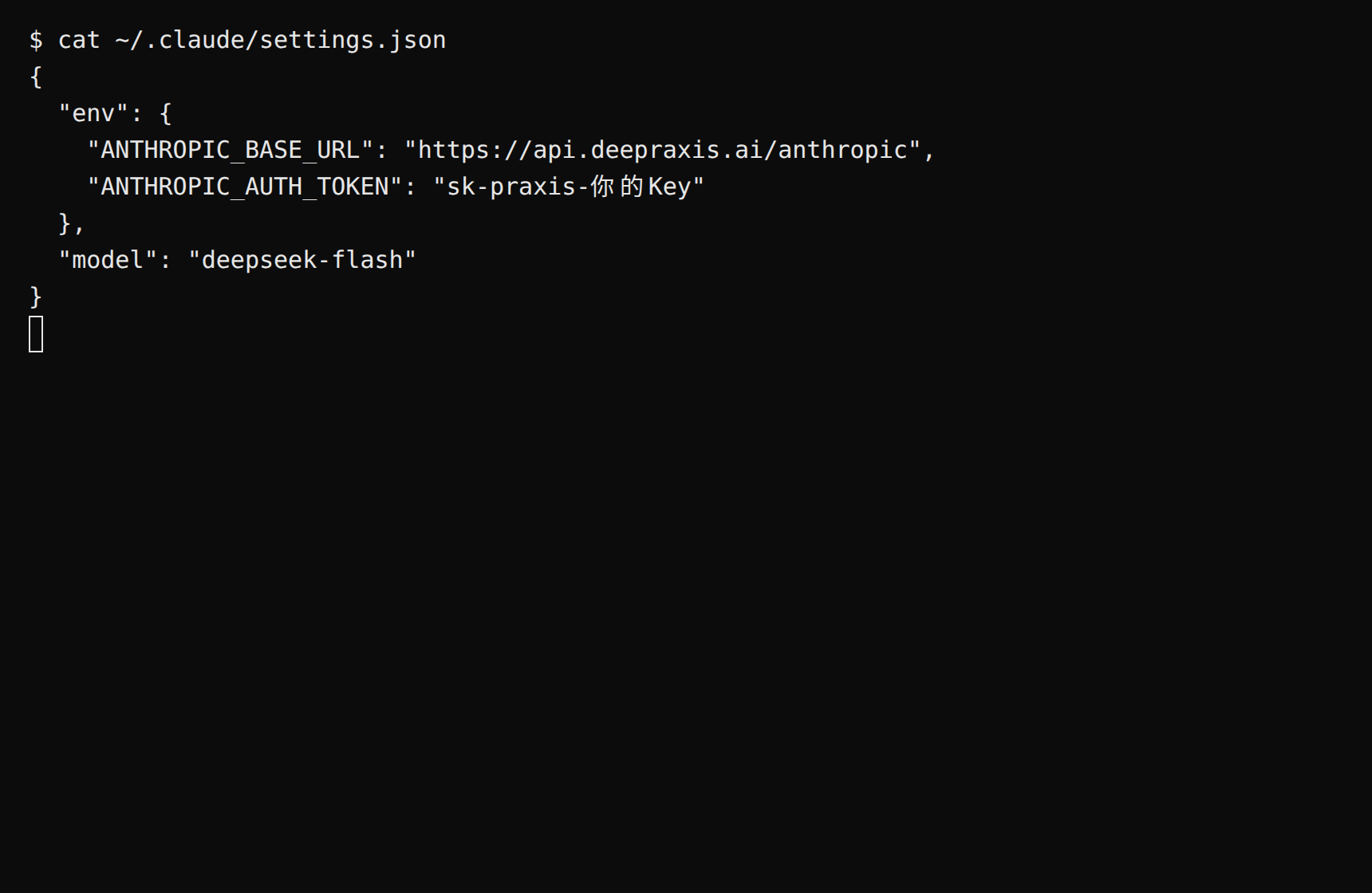
Create ~/.claude/settings.json (on native Windows, %USERPROFILE%\.claude\settings.json):
{
  "env": {
    "ANTHROPIC_BASE_URL": "https://api.deepraxis.com/anthropic",
    "ANTHROPIC_AUTH_TOKEN": "sk-praxis-your-key"
  },
  "model": "deepseek-flash"
}
Two notes:
modelmust be set. Claude Code's default model is not in the Praxis catalog, and the first conversation fails with "Model does not exist" without it.deepseek-flashis the platform's sample model—cheap, fast, good at both Chinese and English; any other catalog model works too.- The key goes into
ANTHROPIC_AUTH_TOKEN, notANTHROPIC_API_KEY—the latter is for talking to Anthropic directly and does nothing behind a gateway.
Expected: saving the file takes effect immediately; nothing to restart.
Step 2 (optional): a one-off session without persisting the key
When you'd rather not write the key to disk, use inline environment variables:
ANTHROPIC_BASE_URL=https://api.deepraxis.com/anthropic \
ANTHROPIC_AUTH_TOKEN=sk-praxis-your-key \
claude --model deepseek-flash -p "Hello"
Expected: a reply arrives. On Windows PowerShell, skip this and use Step 1's config file instead. When run inside a code project, the reply may pick up that project's AGENTS.md / CLAUDE.md context—that's normal.
Verify
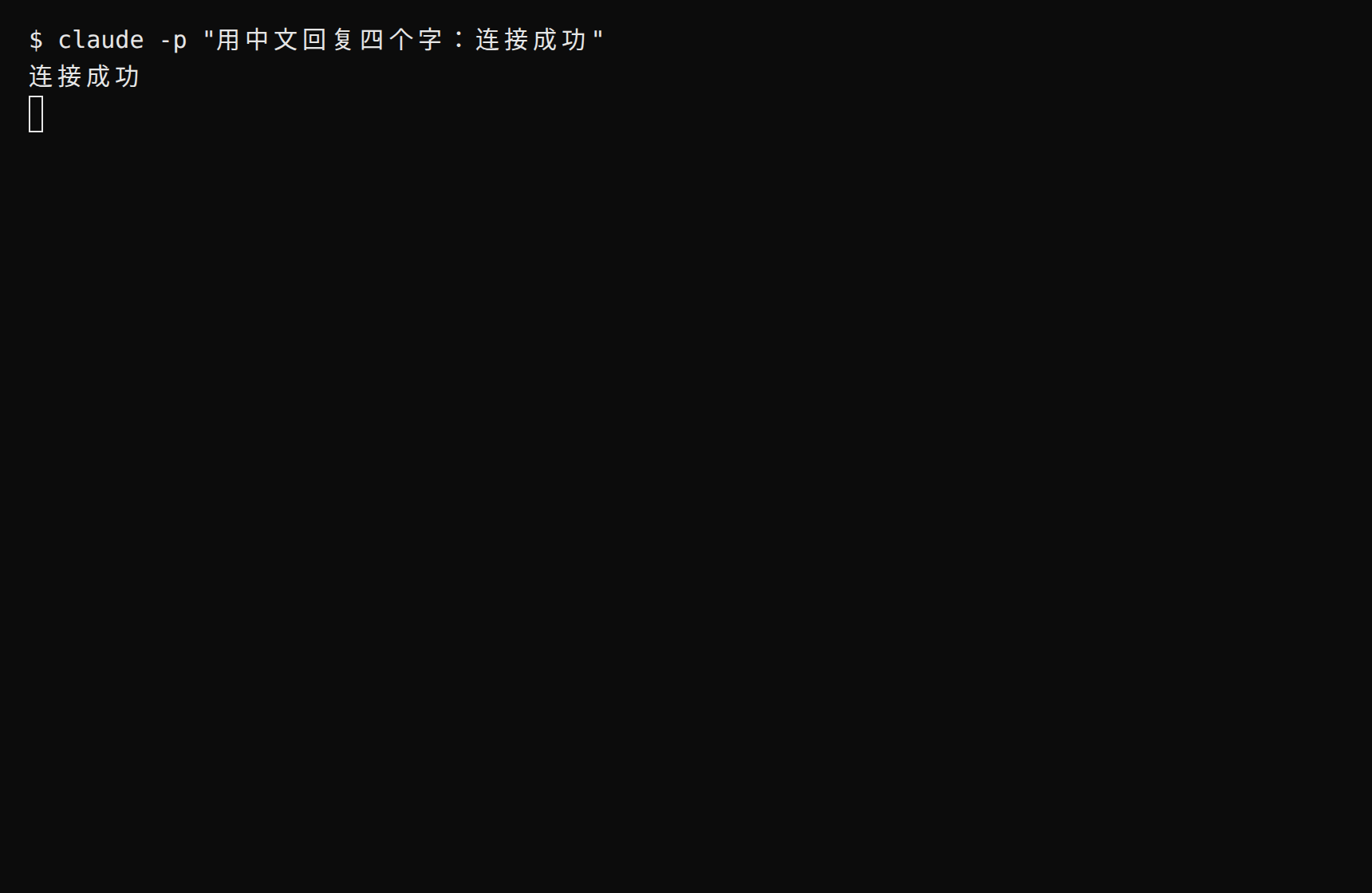
claude -p "Reply with exactly: connected"Expected: the terminal prints the reply—a reply means you're connected.
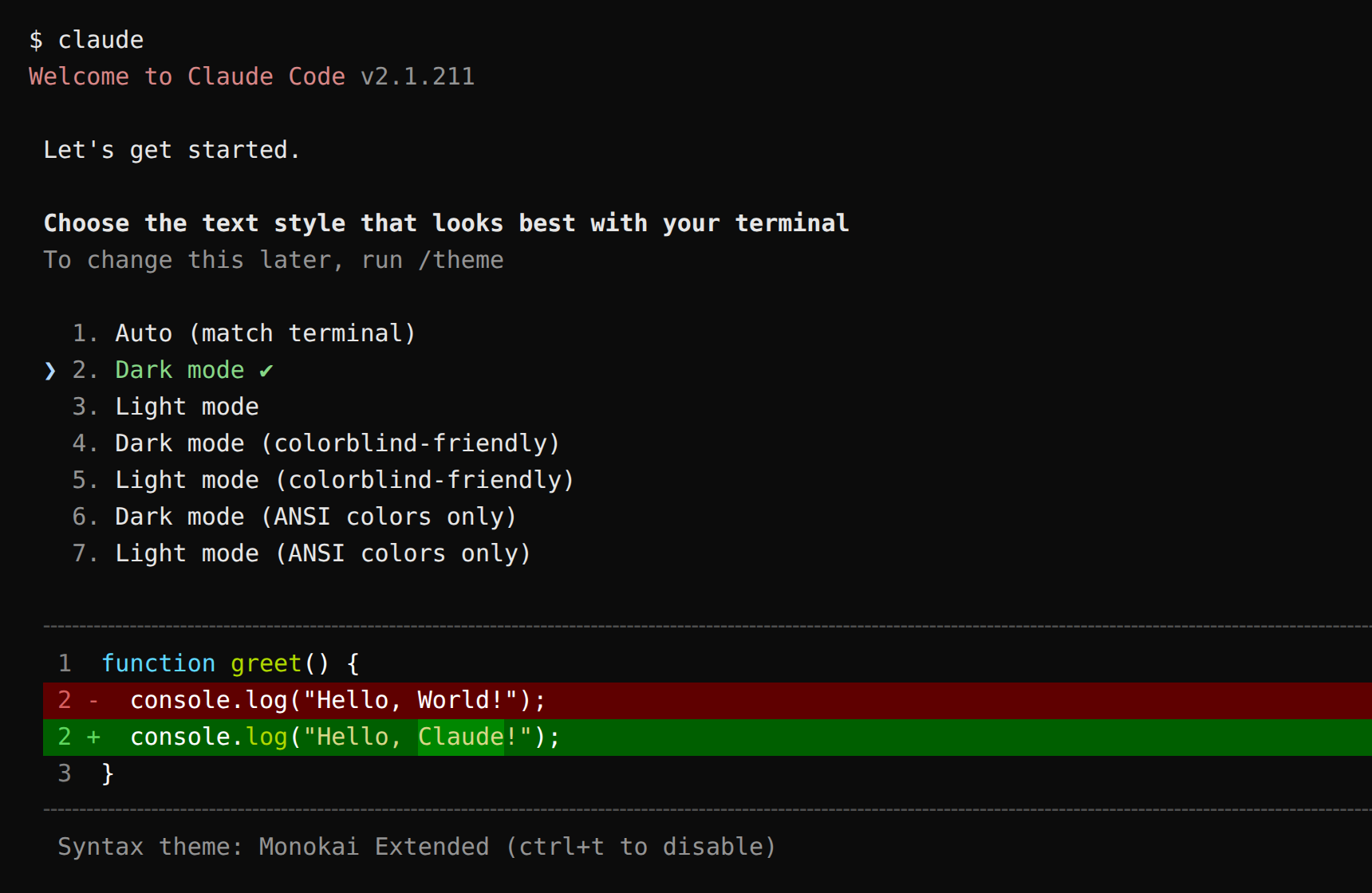
Drop -p for the full interactive coding-agent workspace. The very first launch asks you to pick a UI theme first:
You can also verify from the command line. Set the variable first (copying the curl verbatim without it yields a 401):
export PRAXIS_API_KEY=sk-praxis-your-keyThe commands below are written for macOS / Linux / WSL (bash). On Windows PowerShell: a reply from claude -p above already means you're connected—feel free to skip; for the CLI route, run $env:PRAXIS_API_KEY="your-key" first and join the curl into a single line (dropping the trailing \).
curl https://api.deepraxis.com/anthropic/v1/messages \
  -H "x-api-key: $PRAXIS_API_KEY" \
  -H "anthropic-version: 2023-06-01" \
  -H "Content-Type: application/json" \
  -d '{"model": "deepseek-flash", "max_tokens": 256, "messages": [{"role": "user", "content": "Hello"}]}'
Expected: HTTP 200 means you're connected. The block in content with type text is the reply—deepseek-flash is a reasoning model, so a thinking block may come first; that's normal.
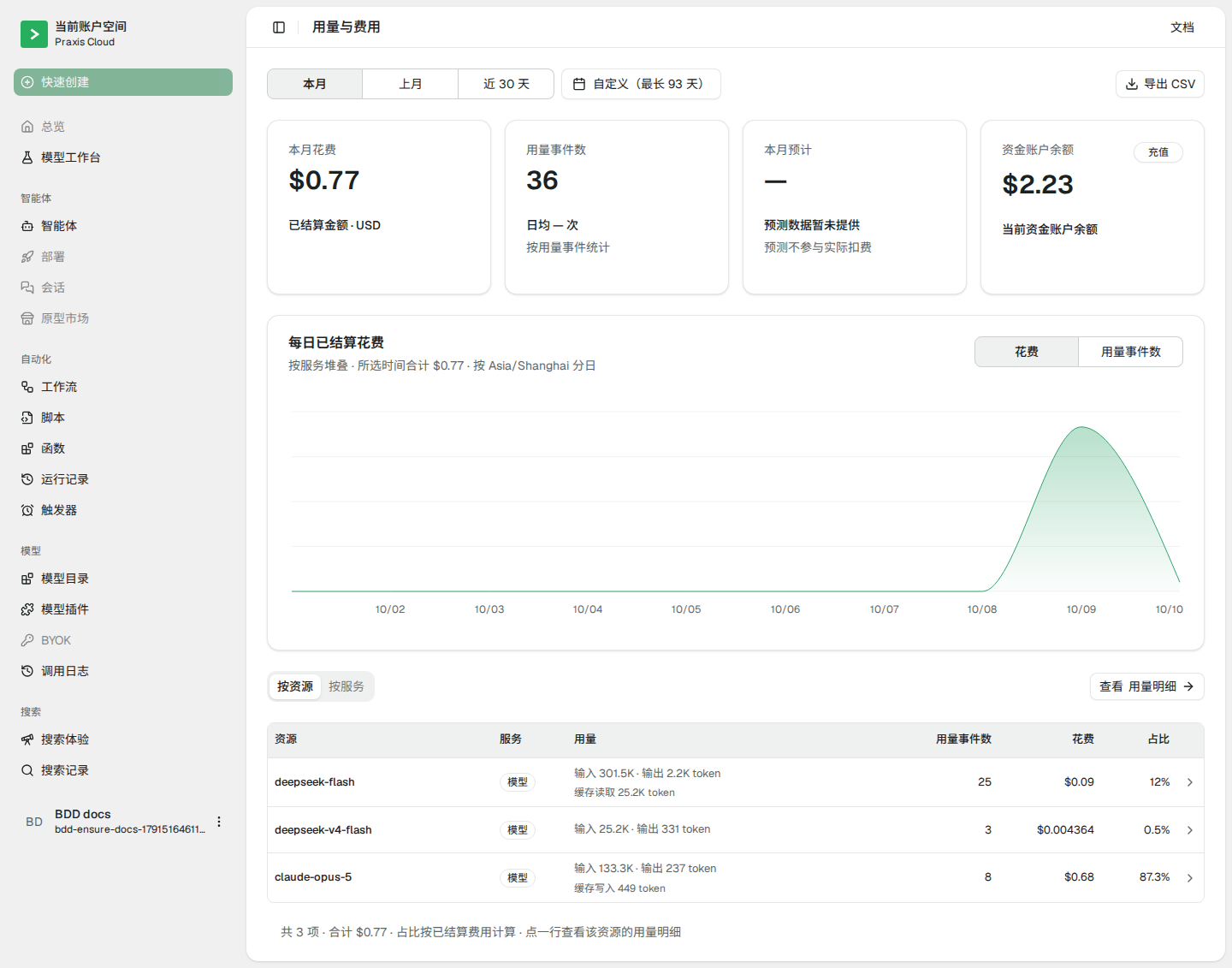
Finally, check Console → Usage & Billing: the call you just made is already on the books—every call is billed and traceable.
FAQ
| Symptom | Cause | Fix |
|---|---|---|
First conversation fails with "issue with the selected model … may not exist" or Model … does not exist | No model set, so Claude Code used its default—which isn't in the Praxis catalog | Add "model" in settings.json (or pass --model) with a catalog model such as deepseek-flash |
| Invalid token / 401 | Key copied incompletely or revoked; or written into ANTHROPIC_API_KEY | Copy it again in full (mind the sk-praxis- prefix); make sure it's in ANTHROPIC_AUTH_TOKEN; if it still fails, create a new one in the console |
Connection closed mid-response | Transient network drop | Just retry |
npm install -g fails with a permission error | The global npm directory isn't writable | Set a user-level prefix, or use the official installer (command below); both detailed in the npm guide |
Official installer:
curl -fsSL https://claude.ai/install.sh | bashAdvanced
- How much did that session cost? Console → Usage & Billing—pay per call, no idle fees
- Switch models: change
modelinsettings.json(or use--modelad hoc). Fillclaude-opus-5for the Claude flagship;deepseek-v4-flashis a pinned snapshot whiledeepseek-flashalways points at the latest Flash generation - Use it in a project: run
claudeinside your code directory—it reads files, edits code, and runs commands, asking for your confirmation before each action
Related recipes
- Codex · Cline · OpenCode
- Prefer a GUI? See Cherry Studio · Chatbox