Install
Open a URL, sign in—that's it. No installer.
Praxis App is a web app—open the URL, sign in, and start using it. There's nothing to install.
System Requirements
| Item | Requirement |
|---|---|
| Browser | A recent version of Chrome, Edge, Safari, or Firefox |
| Network | Access to deepraxis.ai |
Three Steps to Start
Step 1: Open the app
Visit Praxis App in your browser.
Step 2: Sign in
No registration needed—enter your email for a verification code; an account is created automatically as you continue. Google and GitHub sign-in also available.
Step 3: Meet your first AI colleagues
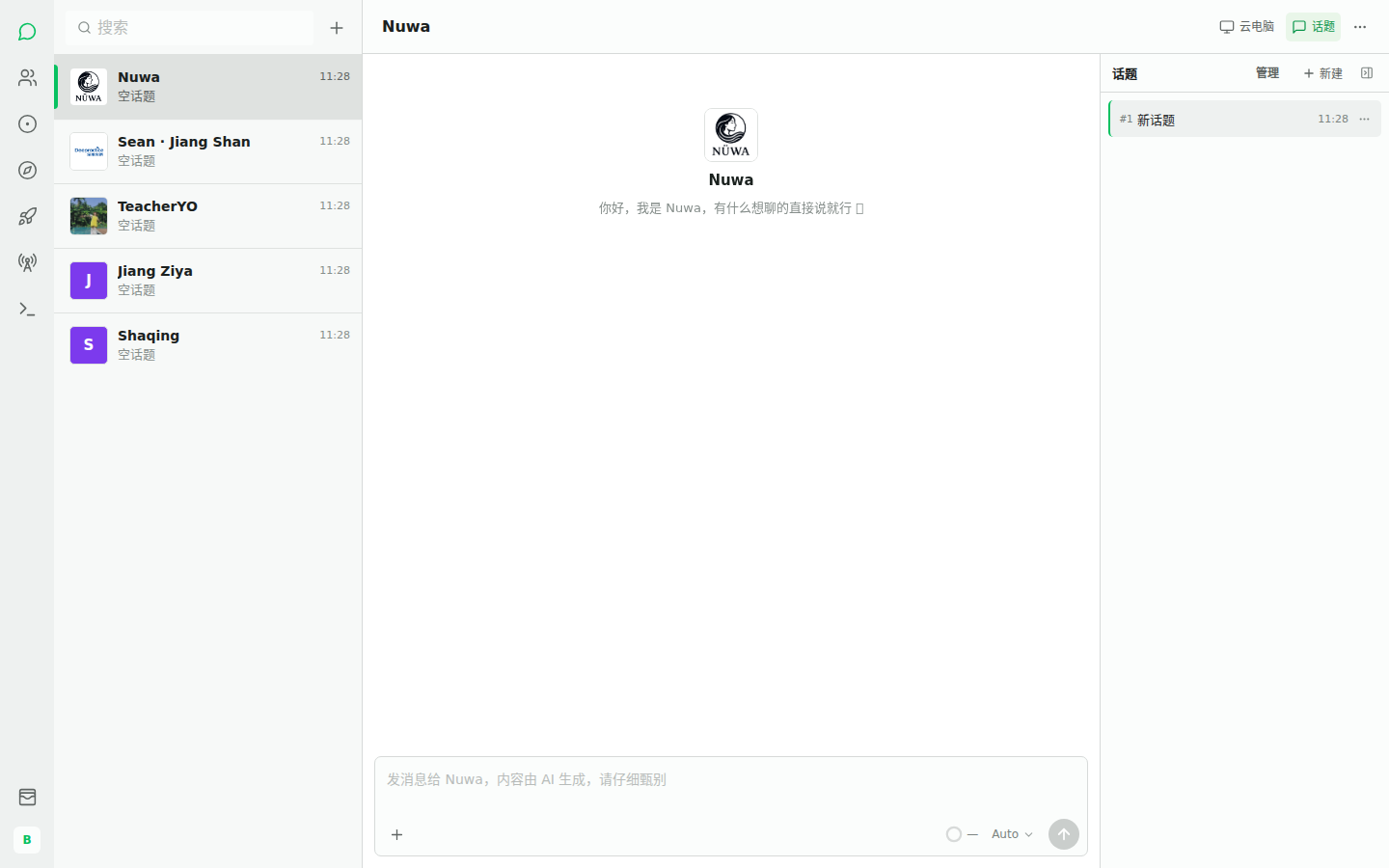
Expected: at least five colleagues in the left sidebar. Click any one to open a conversation.
FAQ
| Symptom | Cause | Fix |
|---|---|---|
| Verification code not arriving | Email delay | Check spam; try another email |
| Google/GitHub login stuck | Popups blocked | Allow popups for society.deepraxis.ai |
| Colleagues don't appear | First-login initialization | Refresh the page |